



The Respawna Agent
Your PCs
lock themselves.
A small Windows app on every rig. It ends the session on time without anyone walking the floor, lets members start themselves, and gives the player their own clock, their own plans, and a line to your counter.
Latest · Ask for more time from the PC, a warning before the lock, your plans in My account


In the session · the dock is parked at the screen's edge · real screens, drawn monitor
The locked screen
The part your floor actually sees
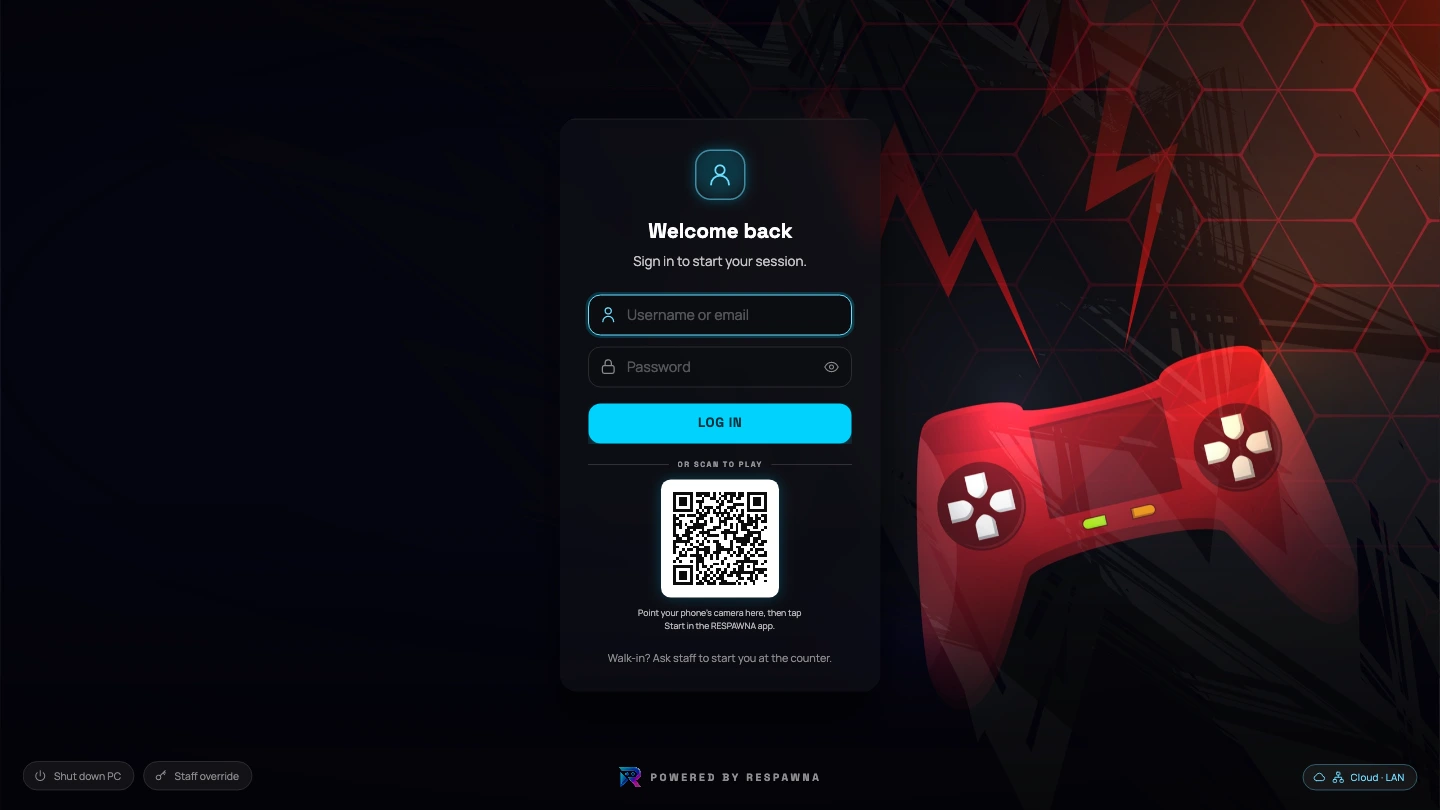
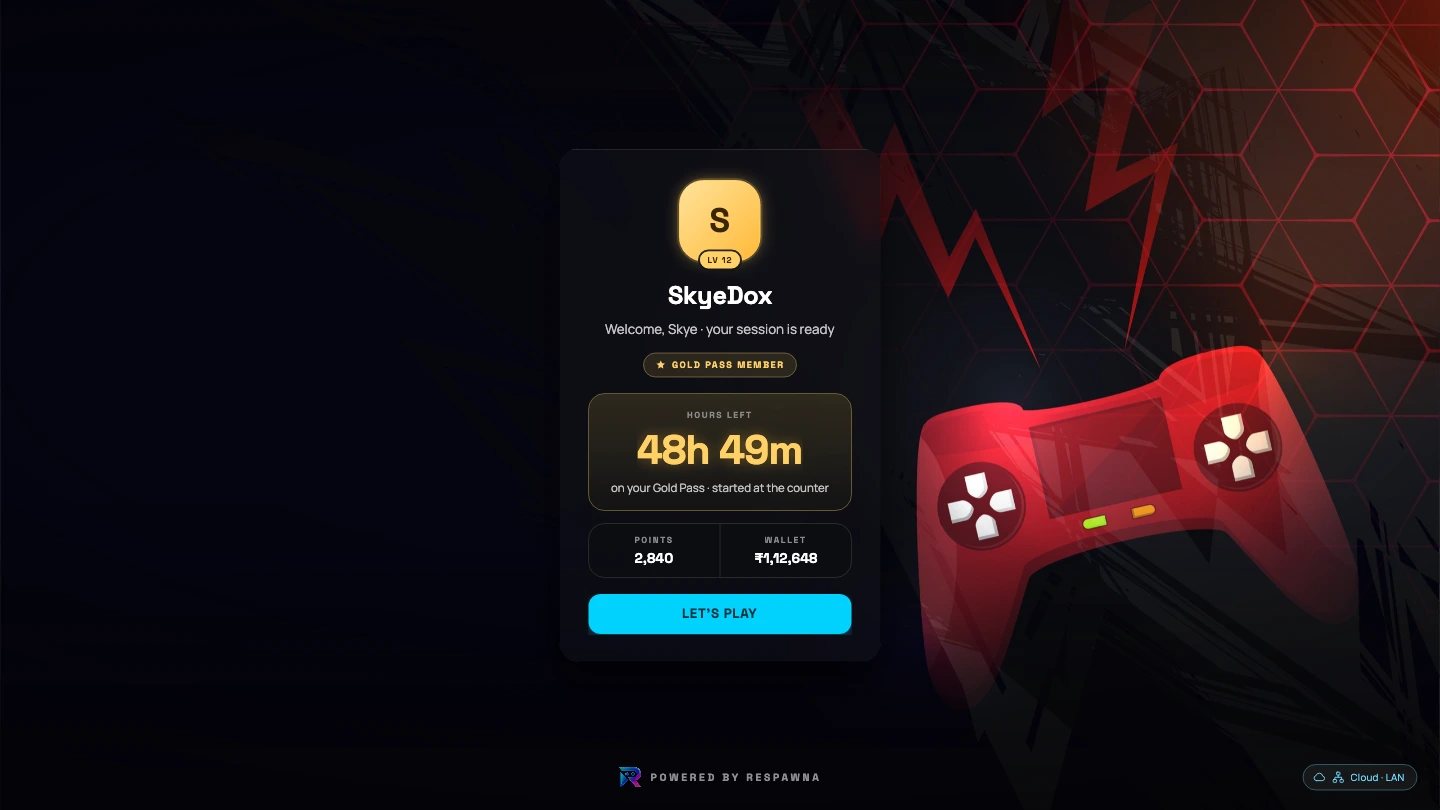
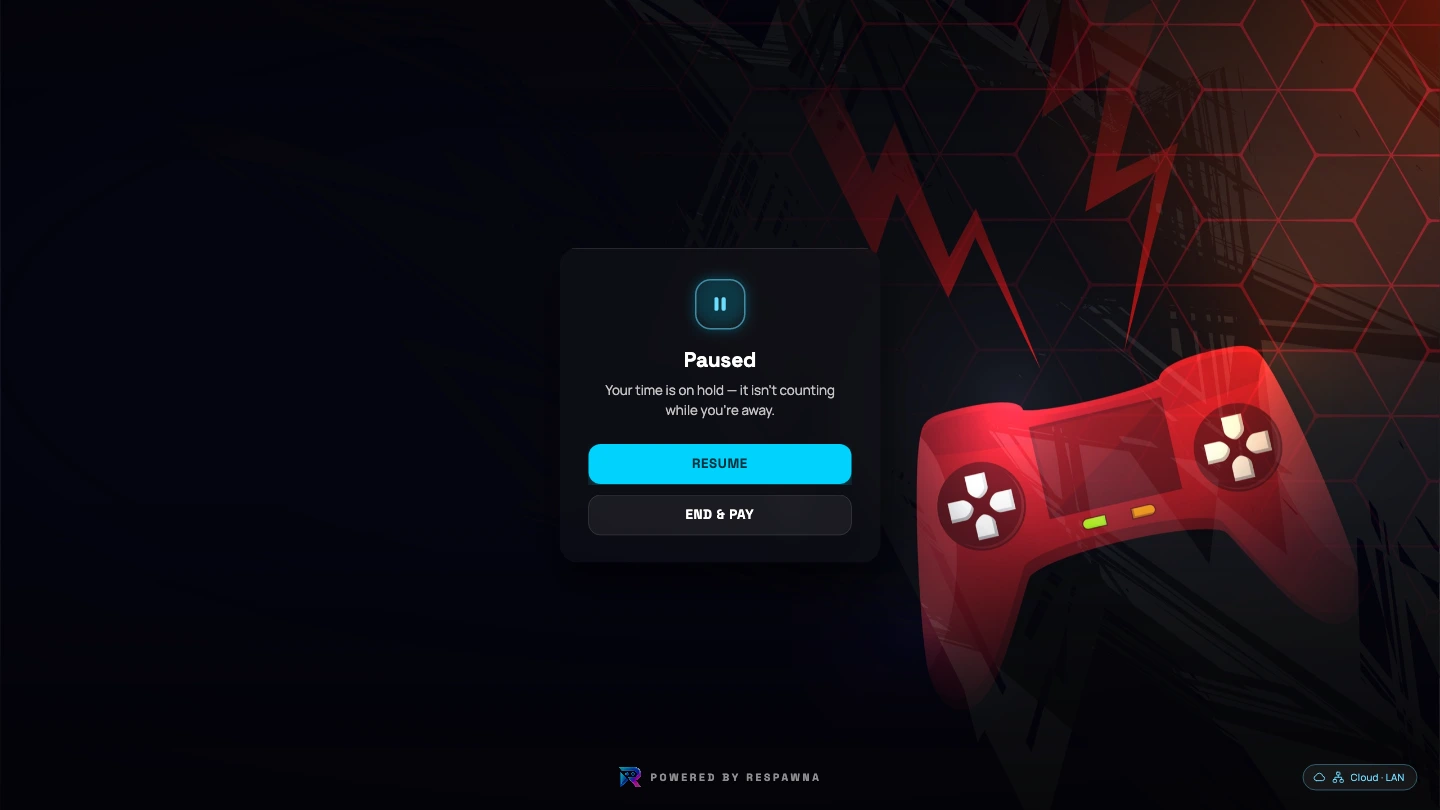
One screen, seven states. It plays on its own · hover to hold it, or pick a state from the rail.
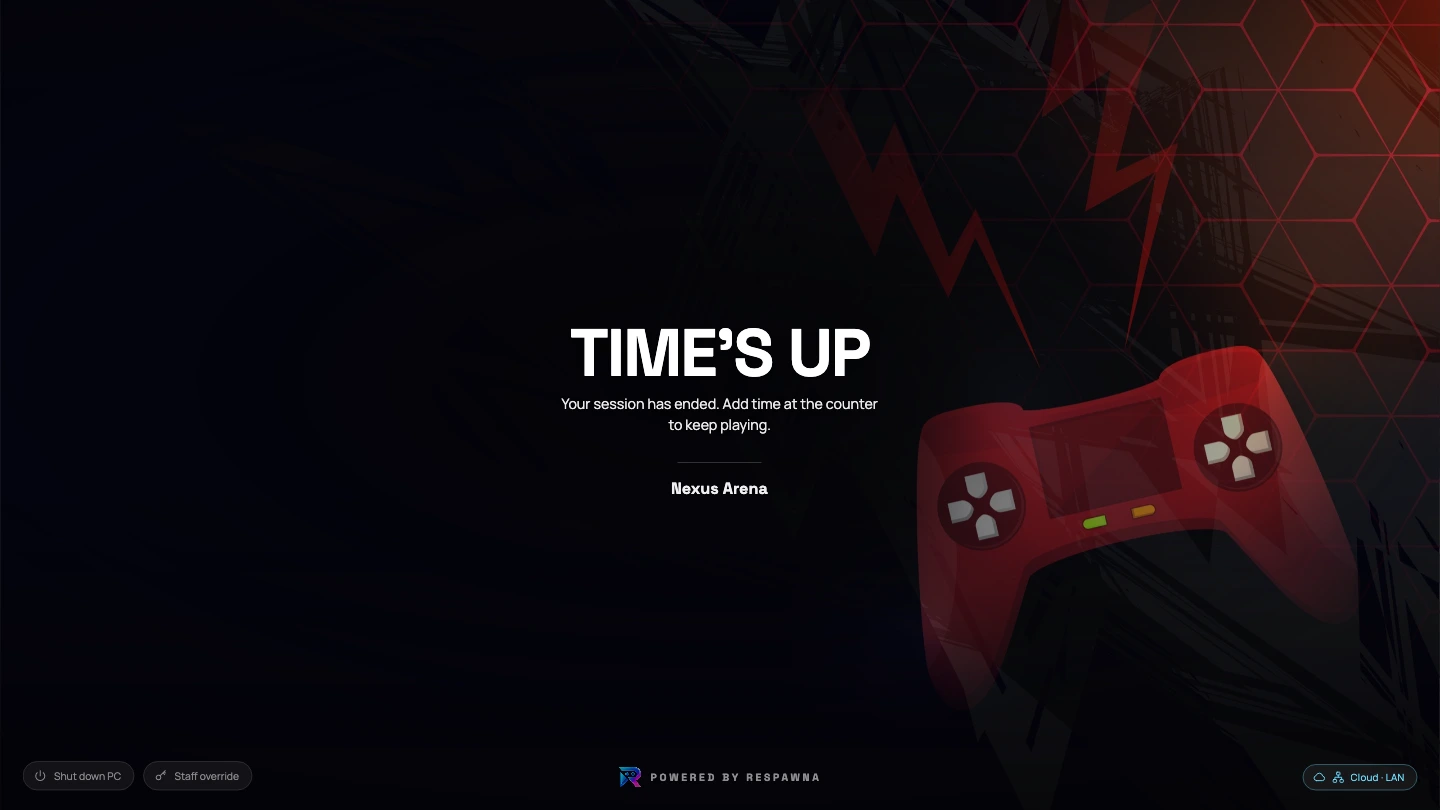
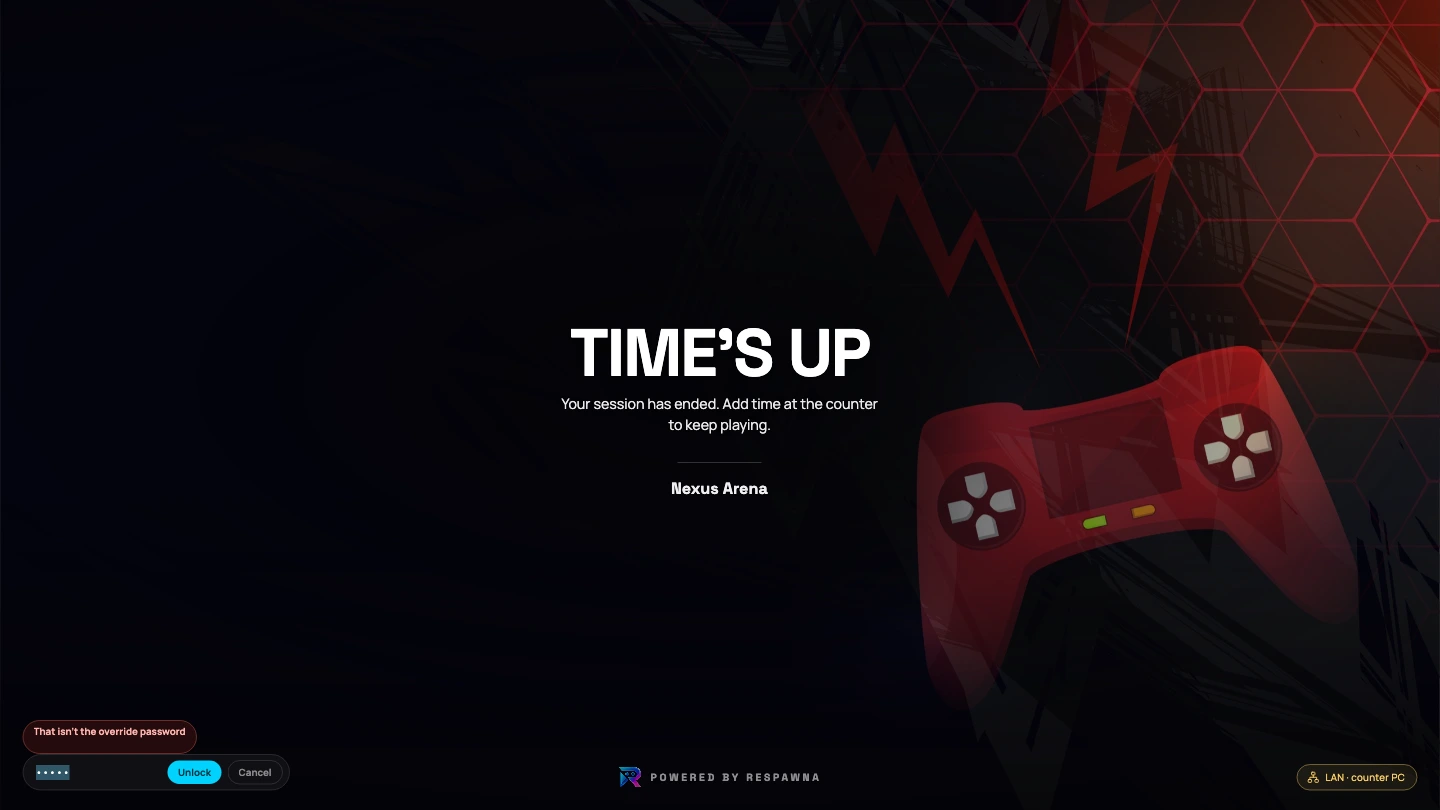
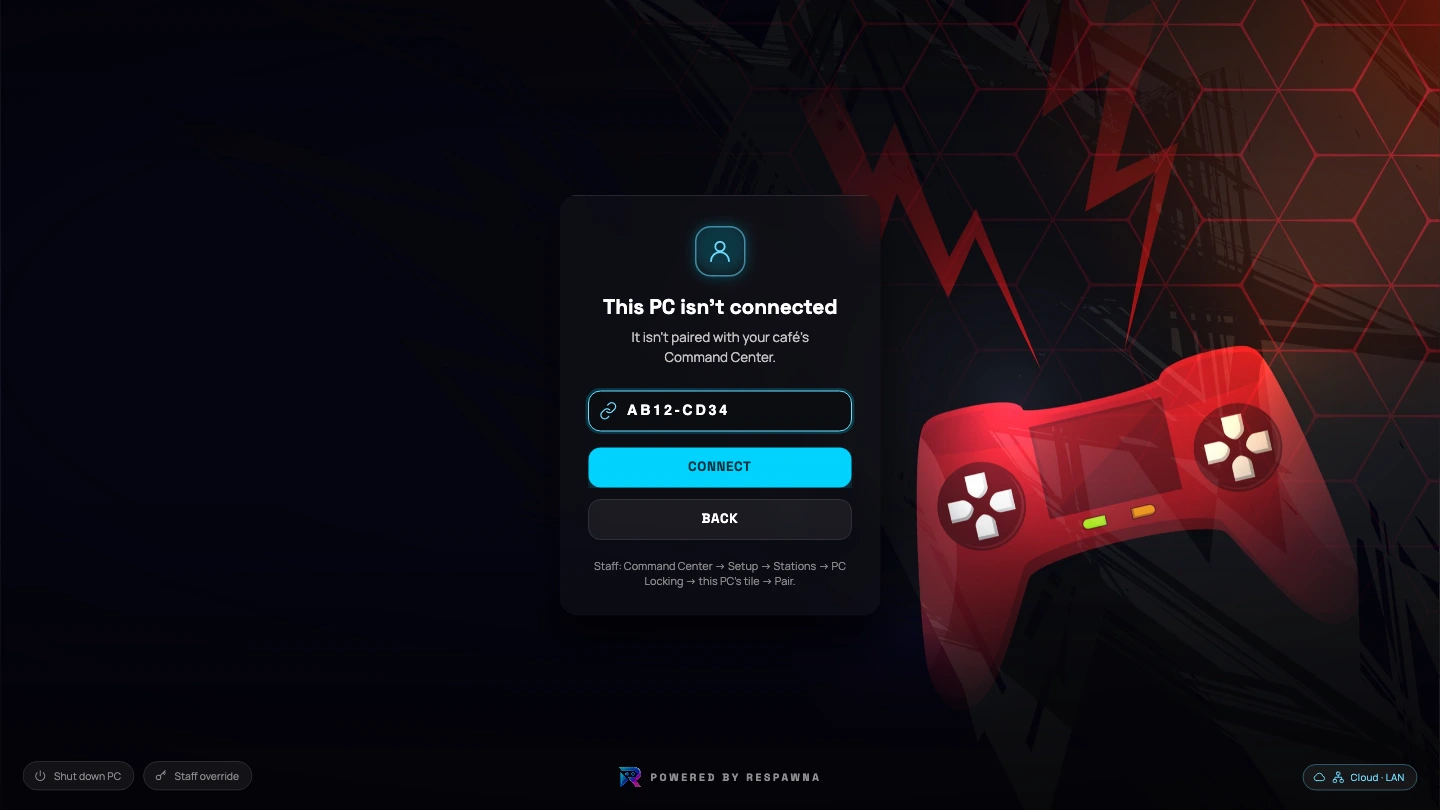
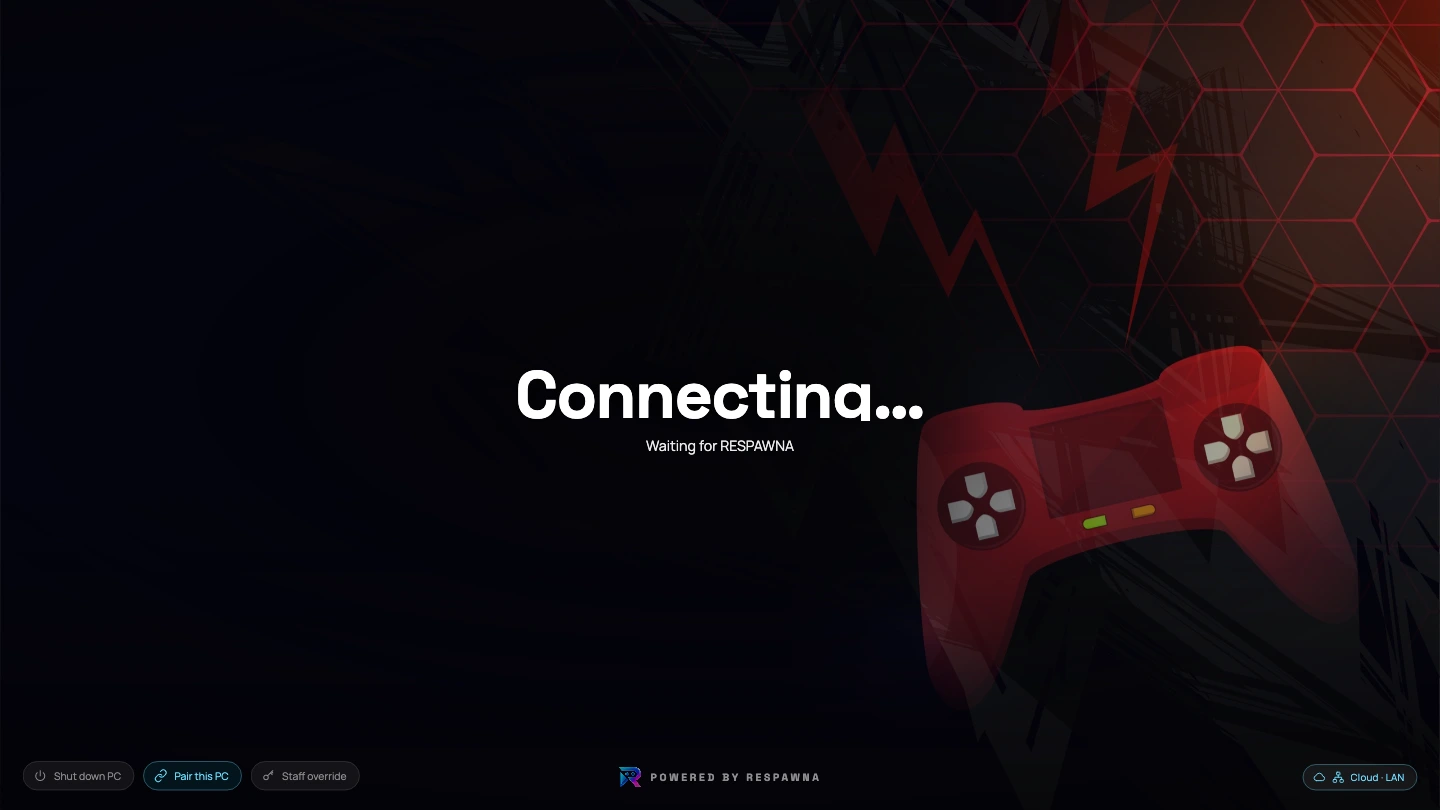
On screen now · The paid time has run out and the rig has locked itself. Your floor's wallpaper, your café's name, and no member of staff had to walk over.
- Locks on its own at the end of the session, every time
- Your floor's wallpaper behind it, set per PC from the Command Center
- Members sign in on the rig, or scan the code with a phone
- Plan hours spend first, then the wallet · the rig says which is paying
- Escape shortcuts blocked while locked, nothing hooked during play
- Fail-closed: it already knows the deadline if the network drops
It locks on its own
At the end of the session, every time, whether or not anyone is watching. The escape shortcuts are switched off while it is locked, and nothing is hooked during play.
It looks like your café
The wallpaper is set per PC from the Command Center, and your café's name sits under the message. An idle rig is the most-looked-at screen on the floor.
It is honest offline
The rig caches its deadline. Lose the line mid-session and it still ends the session on time rather than handing out free hours.

Quiet rigs, honest clocks
Every locked screen is a session that ended exactly when it was paid to, without anyone walking over. The floor runs itself a little more, and the counter argues a little less.
While they play
A sliver at the edge, and a warning
Nothing sits over a game. The agent parks a strip at the screen edge with the time left on it, slides out when something changes, and goes back to being a sliver.

A strip, not a window
The dock parks at the screen edge and shows what is left. It slides out when something changes and goes back to being a sliver.
Three minutes of grace
Time's up no longer locks on the spot. The dock turns red and counts the grace down, and the PC locks at the end of it, never earlier.
Warnings that reach a full-screen game
A wallet running low, a plan handing over, the time nearly gone · a balloon, a toast, and the dock sliding out, because Windows holds balloons back during a game.
Nothing hooked during play
The agent is a lock screen, not a game hook. It draws over the desktop between sessions and blocks escape shortcuts only while locked.
The player window
Half your counter’s questions, answered on the rig
How long have I got. What's on my card. Which plan is paying. Can I have another hour. Every one of those is a walk to the counter, and every one of them is on the PC instead.
My account, on the rig
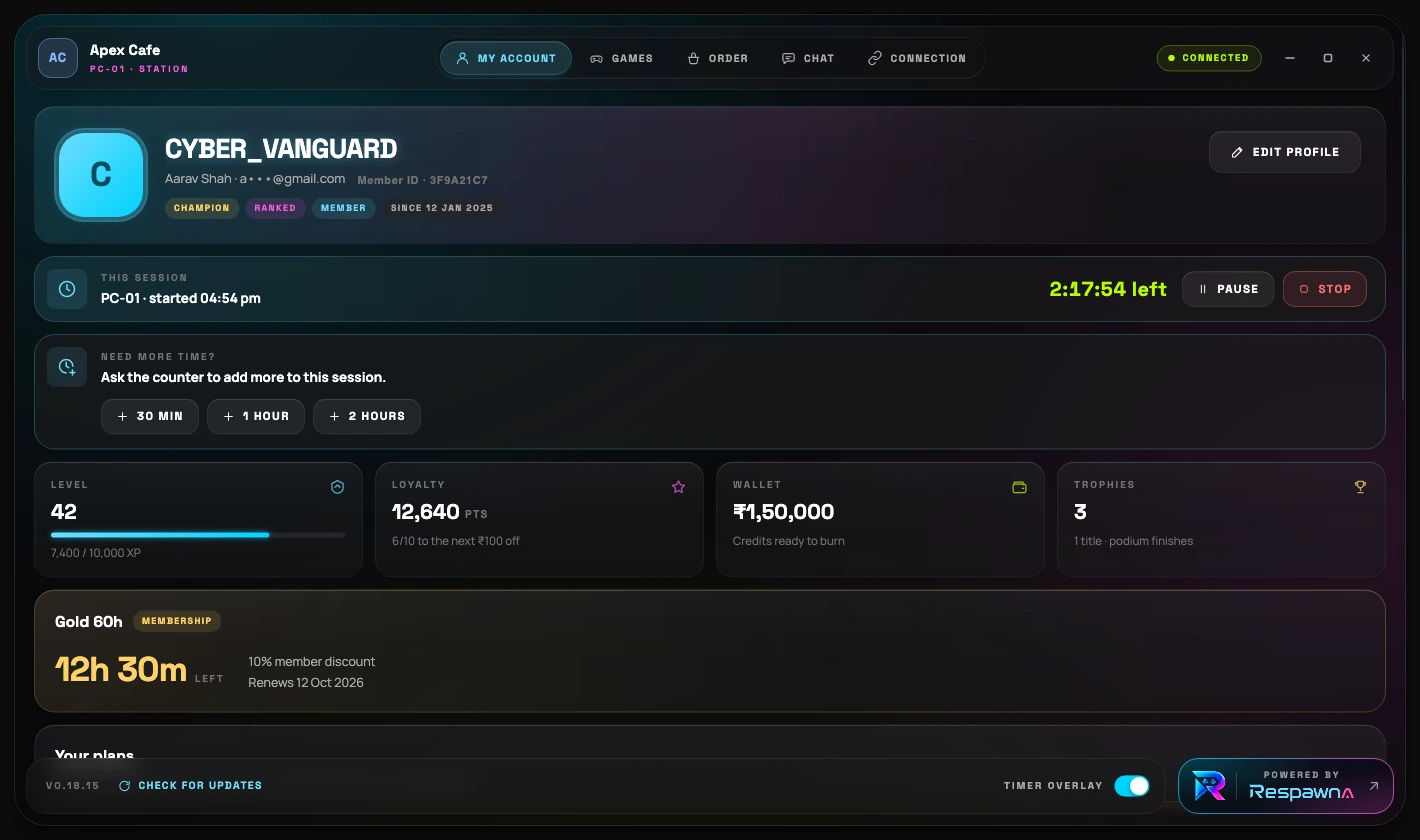
The player can see their own clock
The agent's window is the player's half of your café. Their session and what is left of it, their level and loyalty points, their wallet, their membership and the discount it carries · all of it on the PC they are sitting at, so the counter is not answering the same question forty times a night.
- The session's countdown, with Pause and Stop
- Level, loyalty points, wallet balance and trophies
- The membership that is paying, its hours left and its renewal date
- A timer overlay switch, for a player who would rather not see it
New in v0.18.15
They ask the counter for more time, from the PC
A player running out of time asks for thirty minutes, an hour or two, from the tray icon or from My account. It lands at your counter as a request · nothing is charged and no time is added until your staff say yes. They can change the amount or take the ask back, and the PC is told either way.
- Plus 30 minutes, 1 hour or 2 hours · from the tray icon mid-game
- The counter adds it in Live Ops, taking the money first, or declines
- Asking costs nothing and can be taken back while it waits
- Works during the grace, which is when it matters most

Several plans, one player
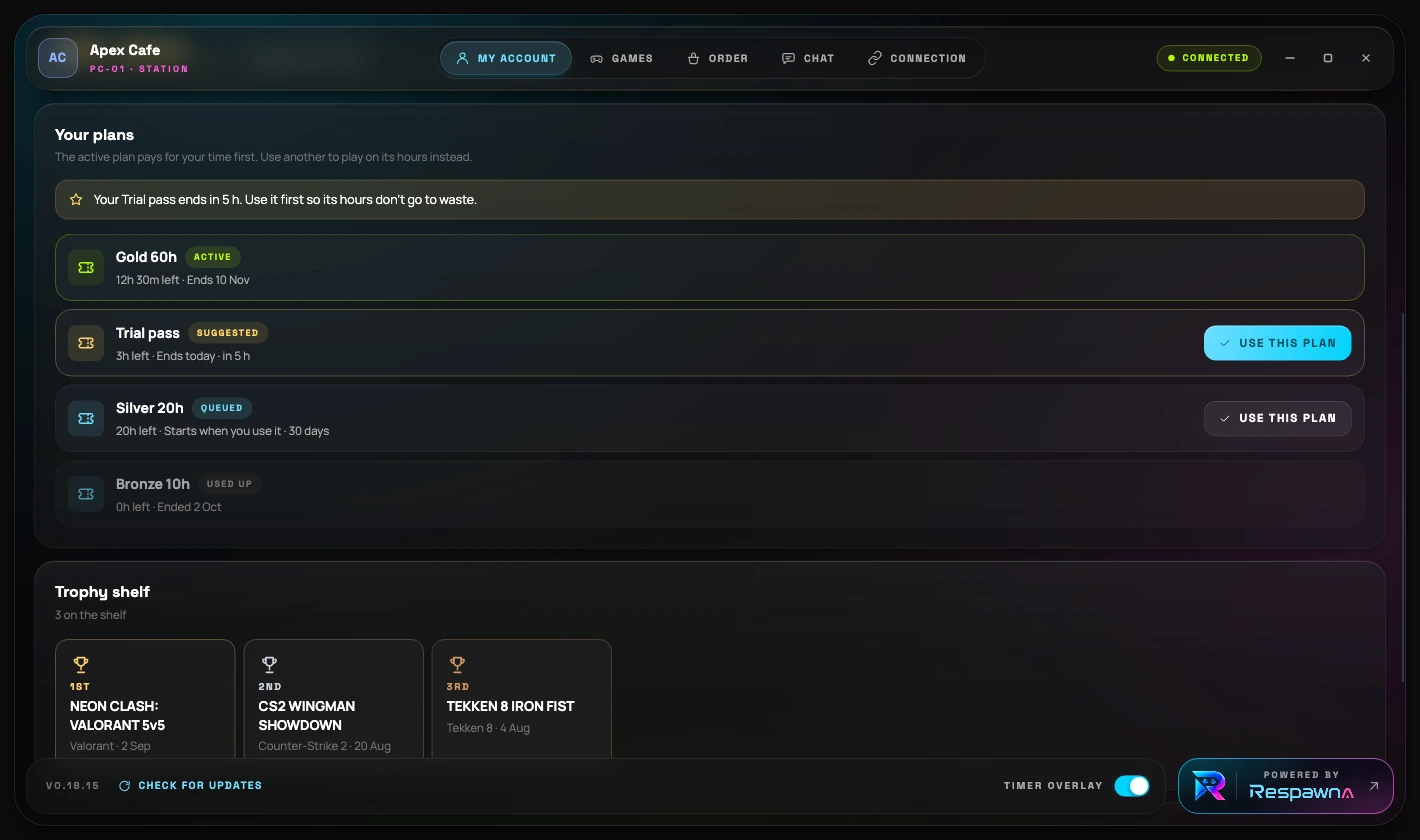
Your plans, and which one is paying
A member who has bought more than one pass holds them all. The agent lists every pack with its hours and its dates, marks the one that is paying, suggests the one about to expire so its hours are not wasted, and lets the player switch where you allow it.
- Active, Suggested, Queued, Paused, Expired and Used up, each labelled
- A queued pack asks before it starts, because its validity begins then
- The advice above the list comes from the server, not the rig
- Trophy shelf under it · the tournaments they have placed in
On the Ultra plan
The floor served from the seat
Ordering and chat are the two things the agent does that a lock screen has no business doing. Both are a round trip to your counter and back, so both are shown as one · see the plans.
Food & drinks, ordered from the seat
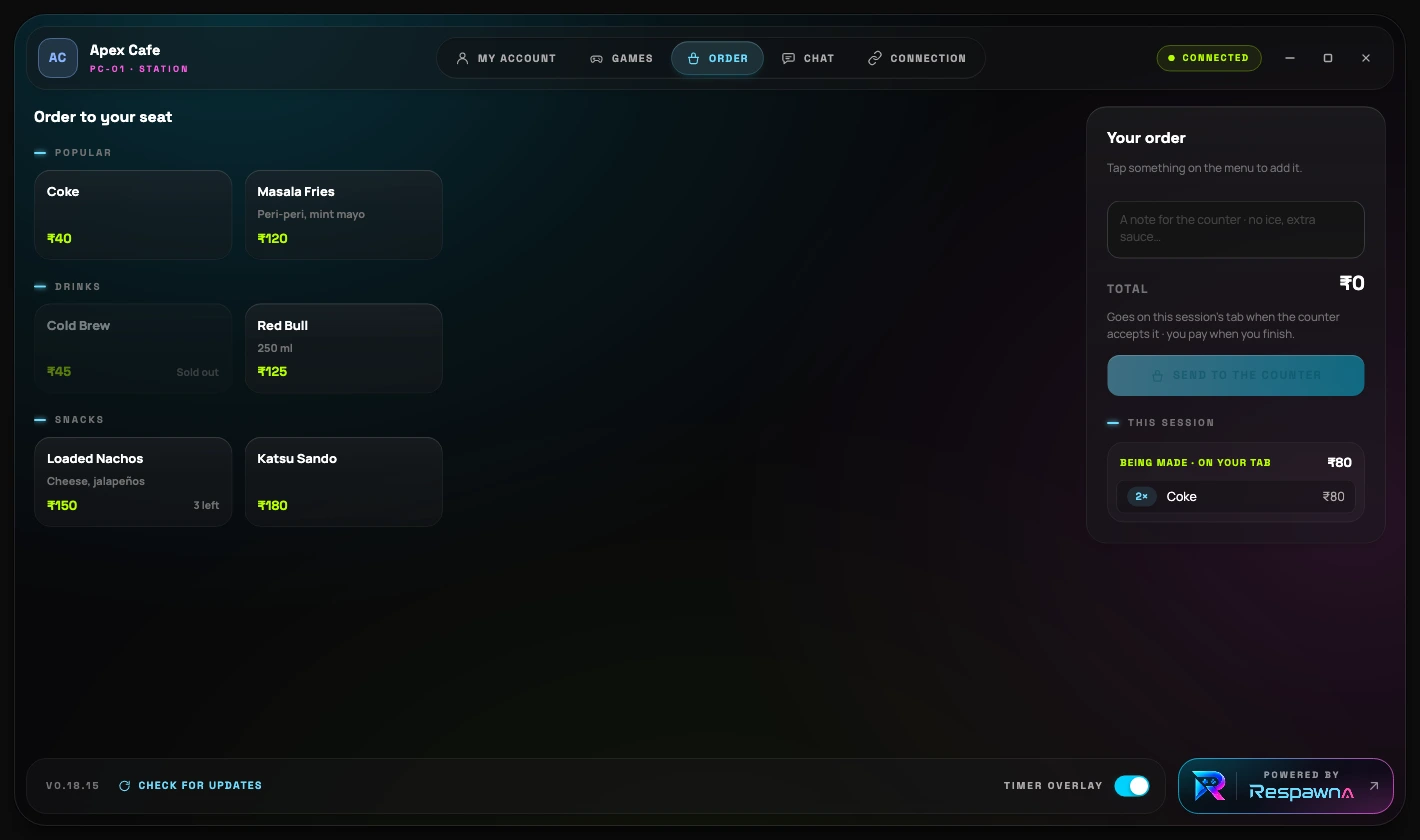
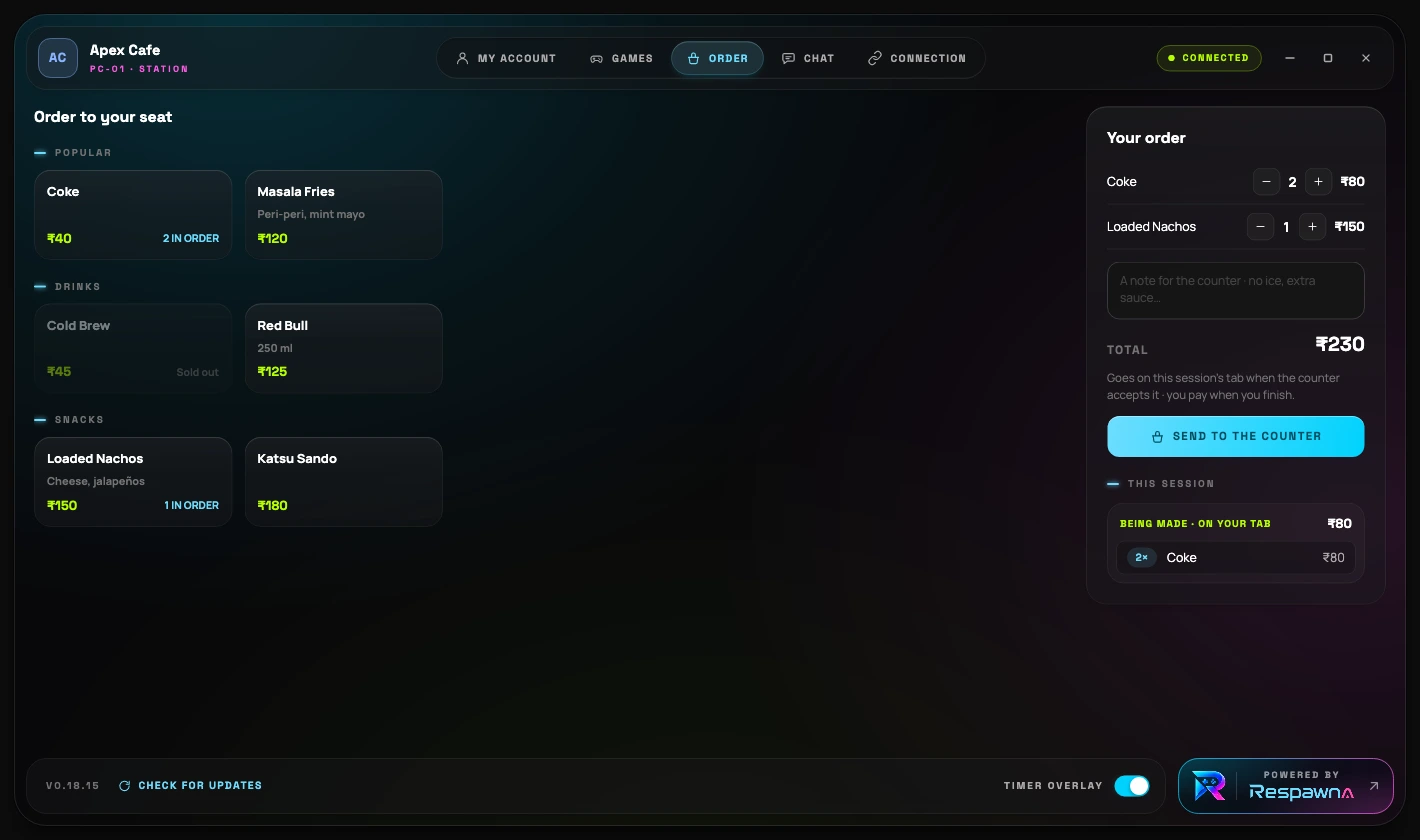
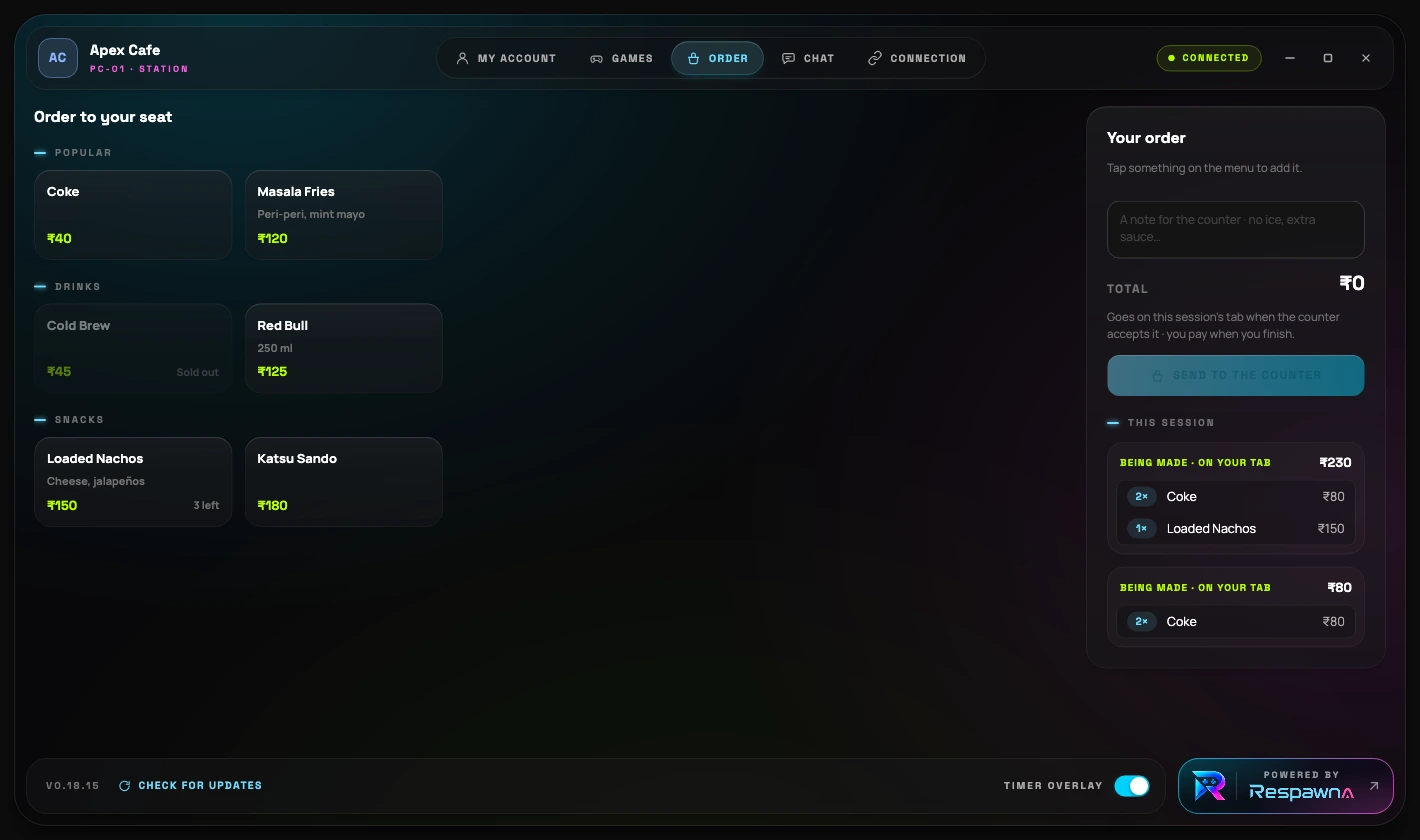
On screen now · The Order tab is your own menu · your categories, your prices, your sold-out marks and what is left in stock.
A line to the counter
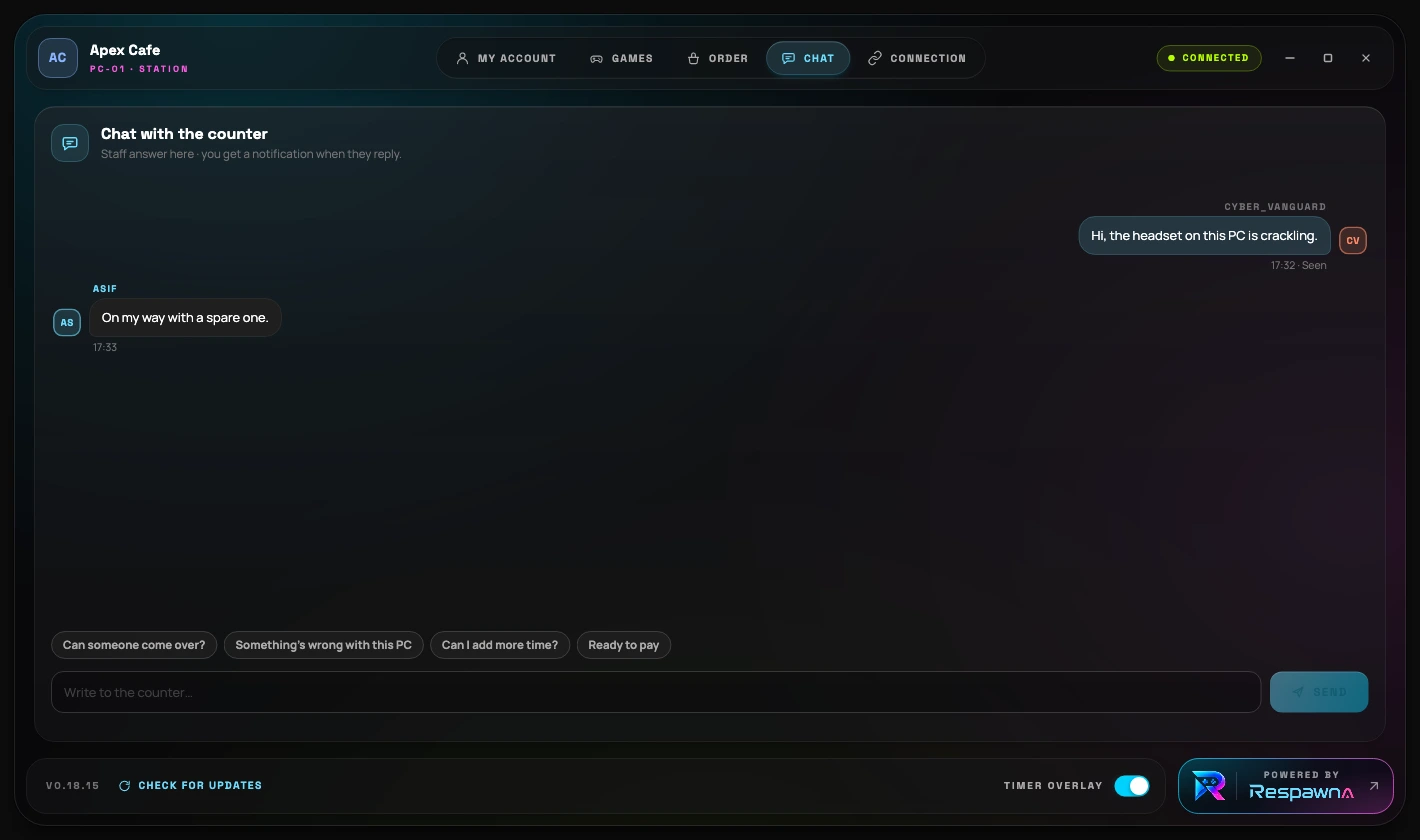
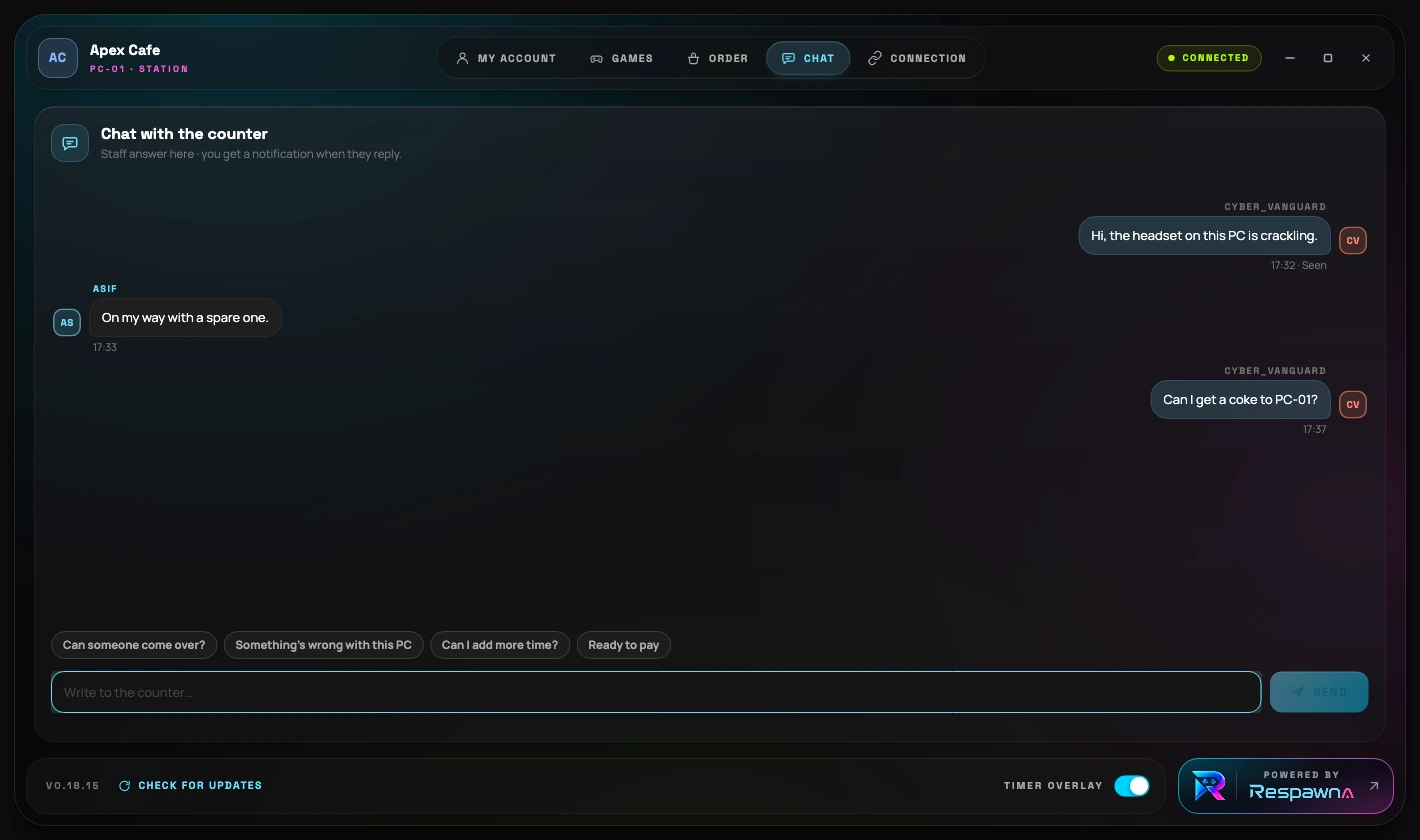
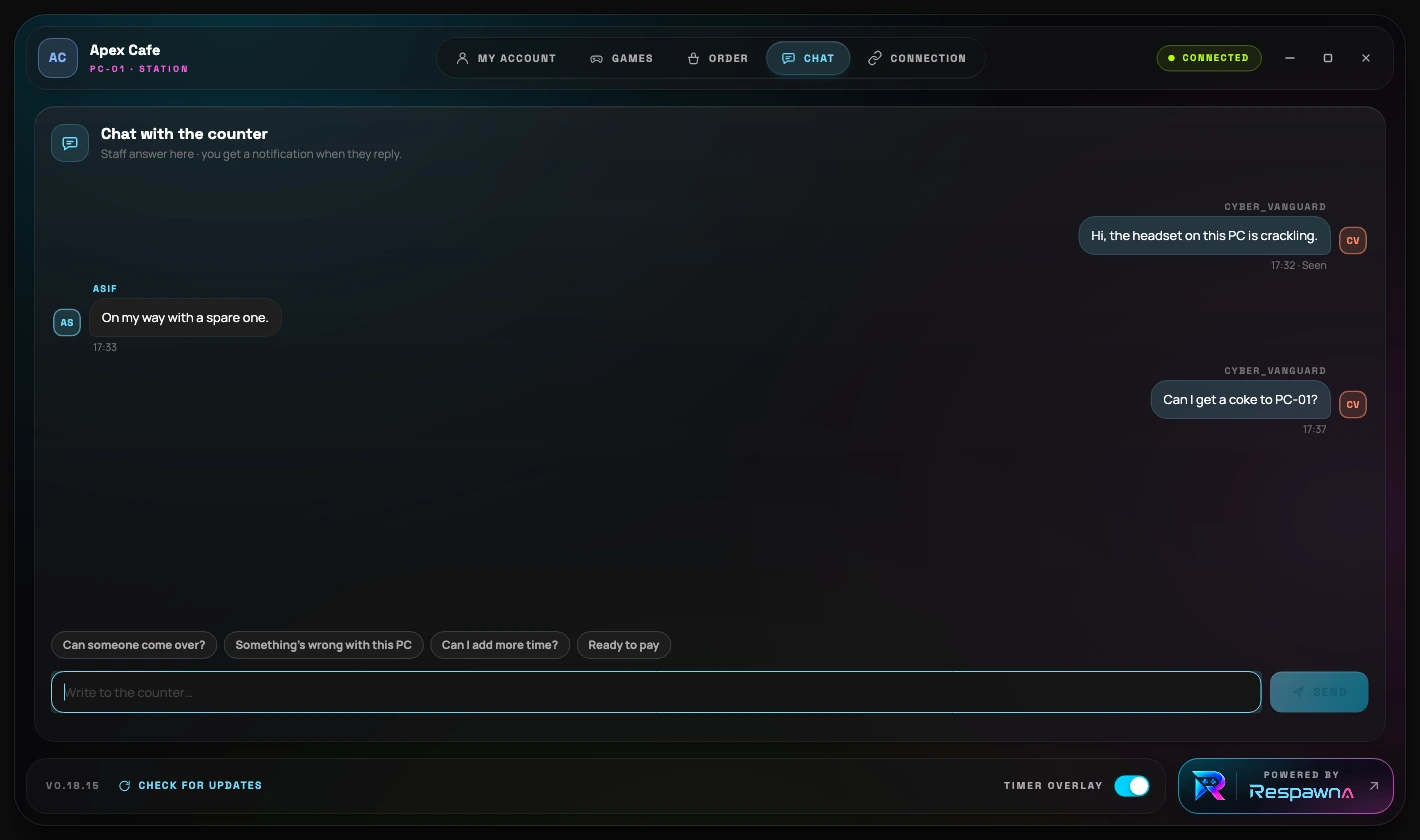
On screen now · One thread per session between the rig and the till, with quick replies for what players ask most.
Nothing is charged and nothing leaves the shelf until your staff accept it. The order lands on the same invoice as the time.

Install it once, then leave it alone
Nothing to image, nothing to maintain, and no account typed on a machine your customers sit at. A PC takes its orders from your counter and asks for nothing else.
Getting a PC on
Four steps, then forget it
No accounts typed on a rig, no image to build, nothing to maintain. The installer asks two questions and the Command Center answers the rest.
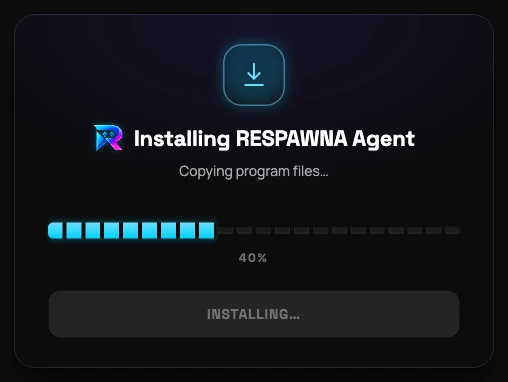
Run it on the rig
One self-installing exe, published with its SHA-256 so the updater can prove what it downloaded. Approve the Windows prompt and it installs and starts on boot.
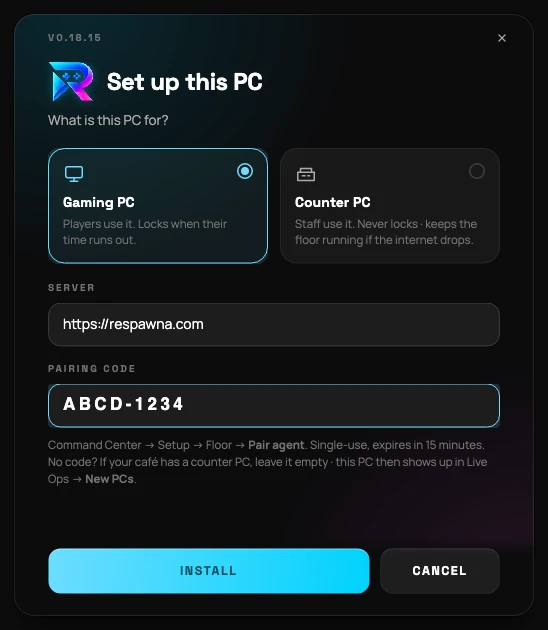
Say what the PC is for
A gaming PC, which players use and which locks when their time runs out. Or the counter PC, which staff use and which never locks.
Paste the pairing code
Command Center → Setup → Floor → Pair agent gives a single-use code, good for fifteen minutes. No account is ever typed on a rig.
Turn locking on when you are ready
It ships switched off and does nothing until you enable it per floor, so you can install across the whole café first and arm it afterwards.
Driven from the Command Center
Every rig’s lock, yours to hold
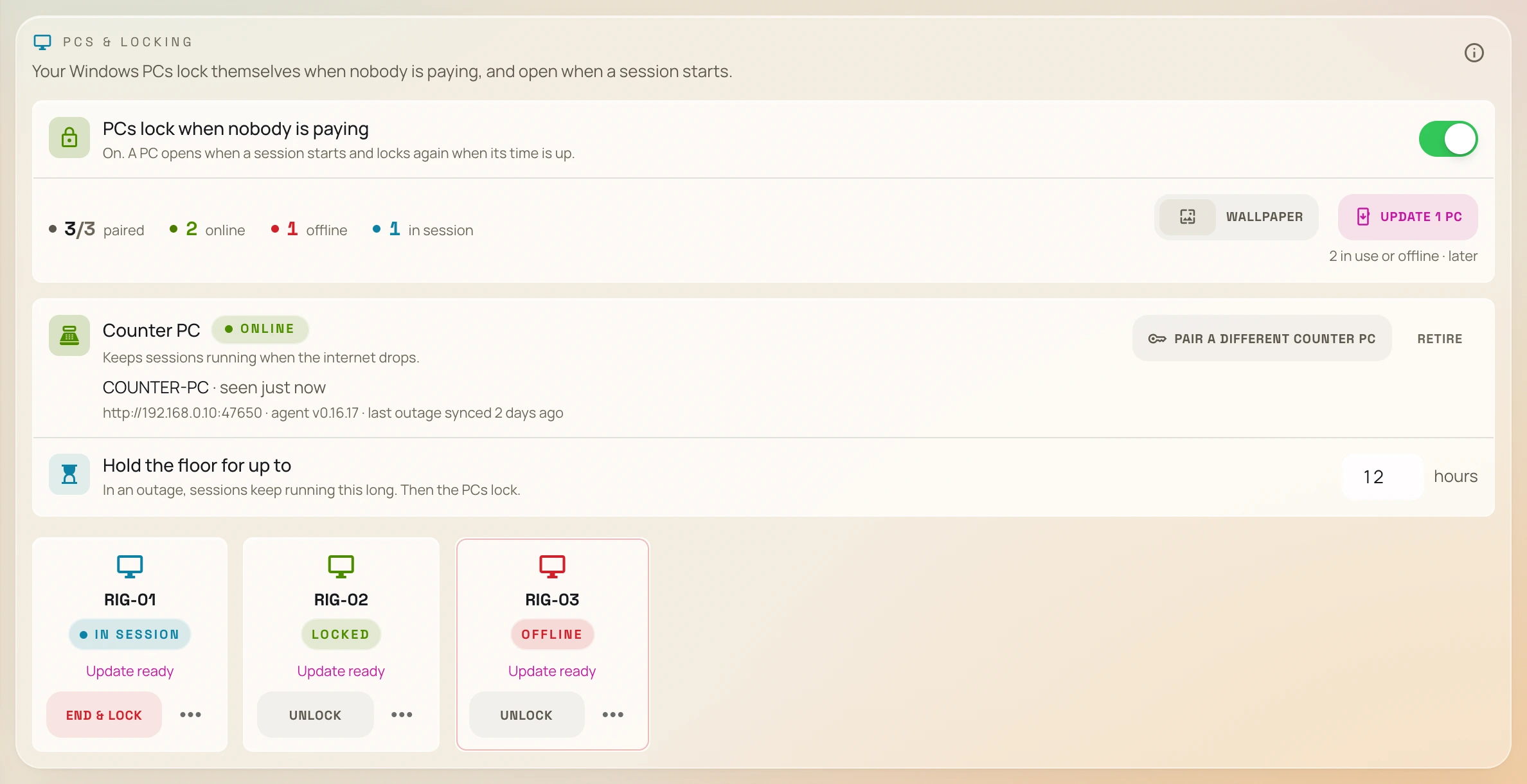
The agent takes its orders and never makes its own. Everything here is set at the counter, per station · including whether the PC is even awake. These are the console's own screens.
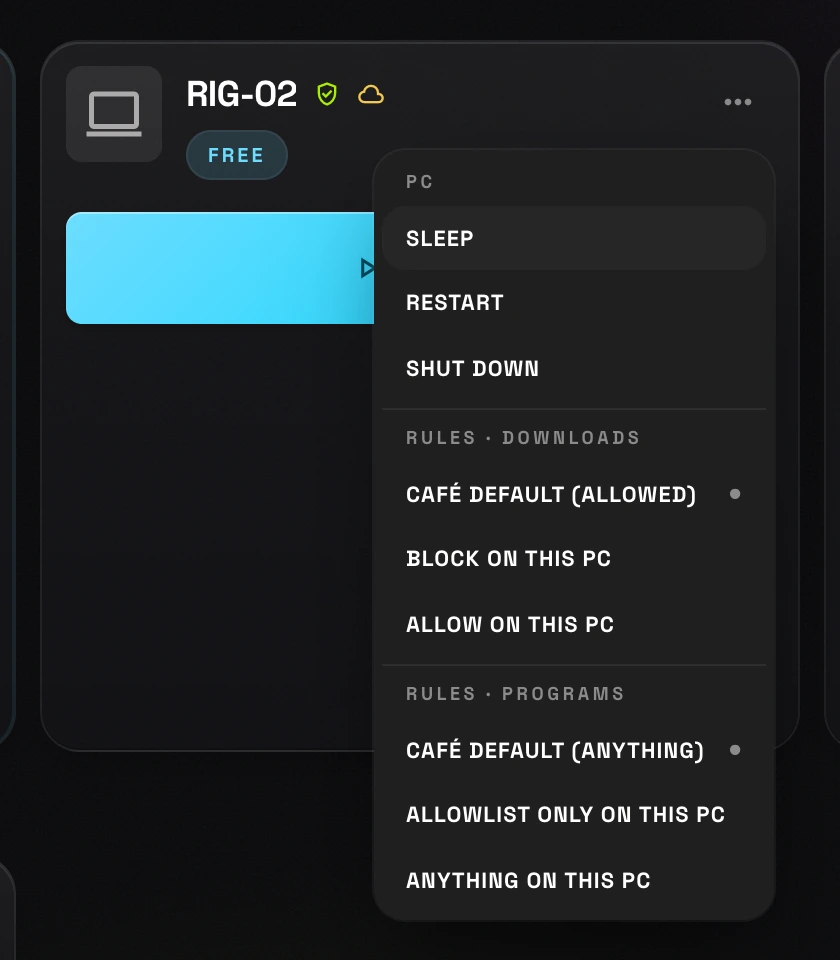
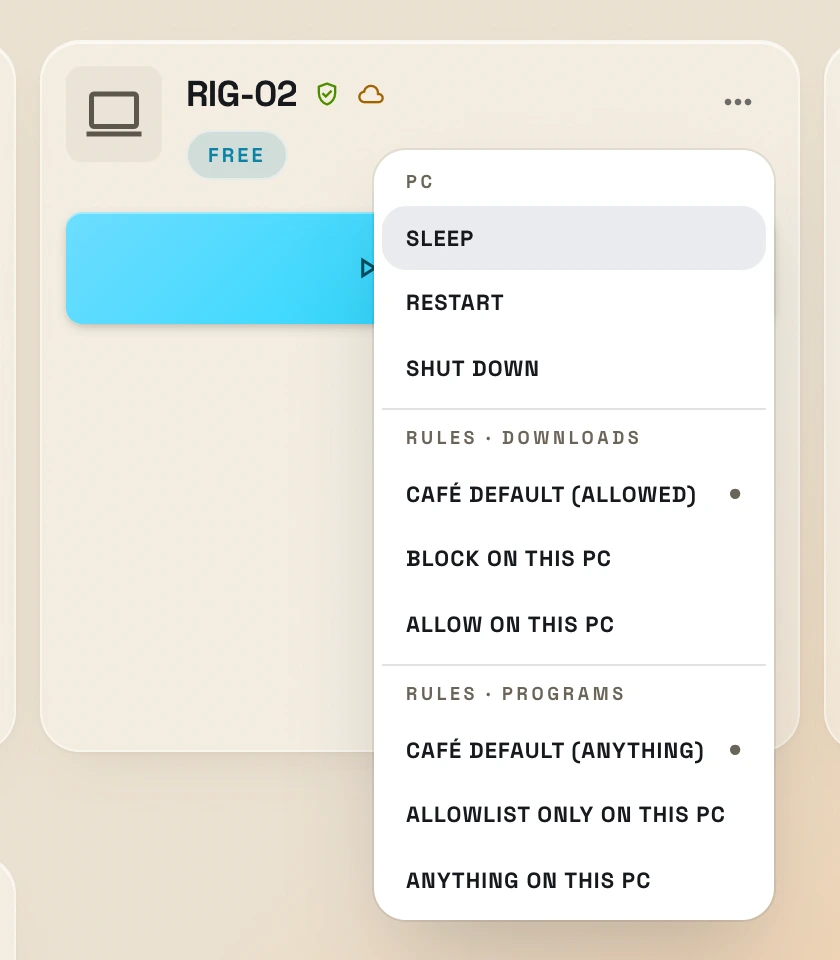
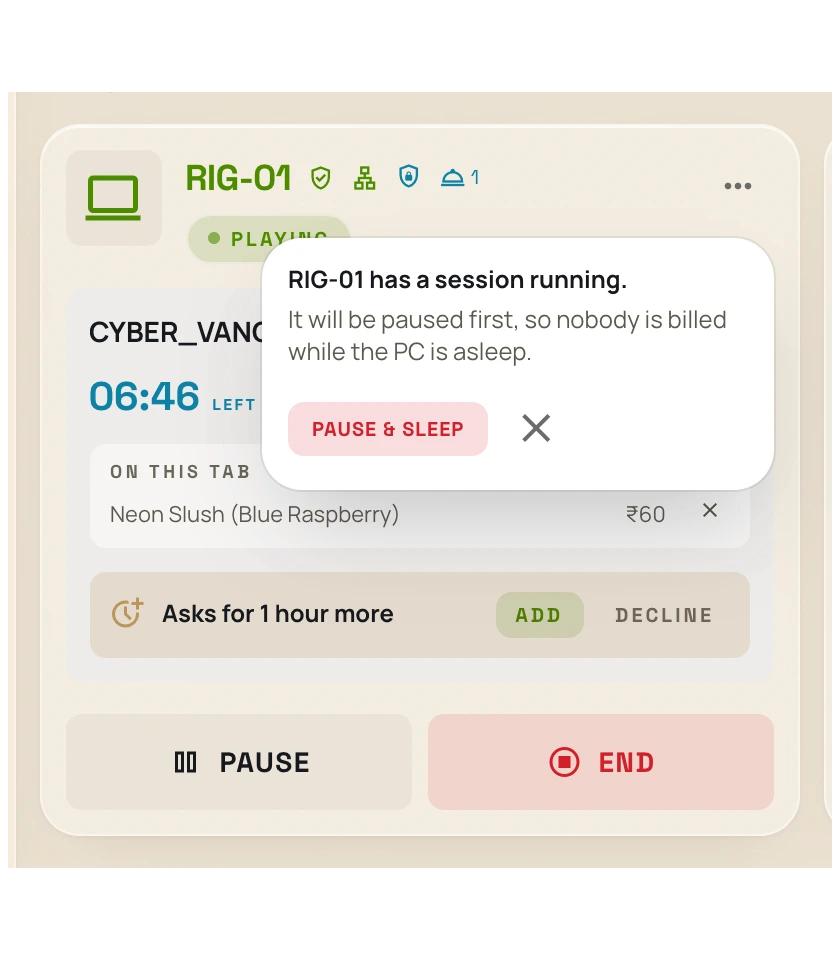
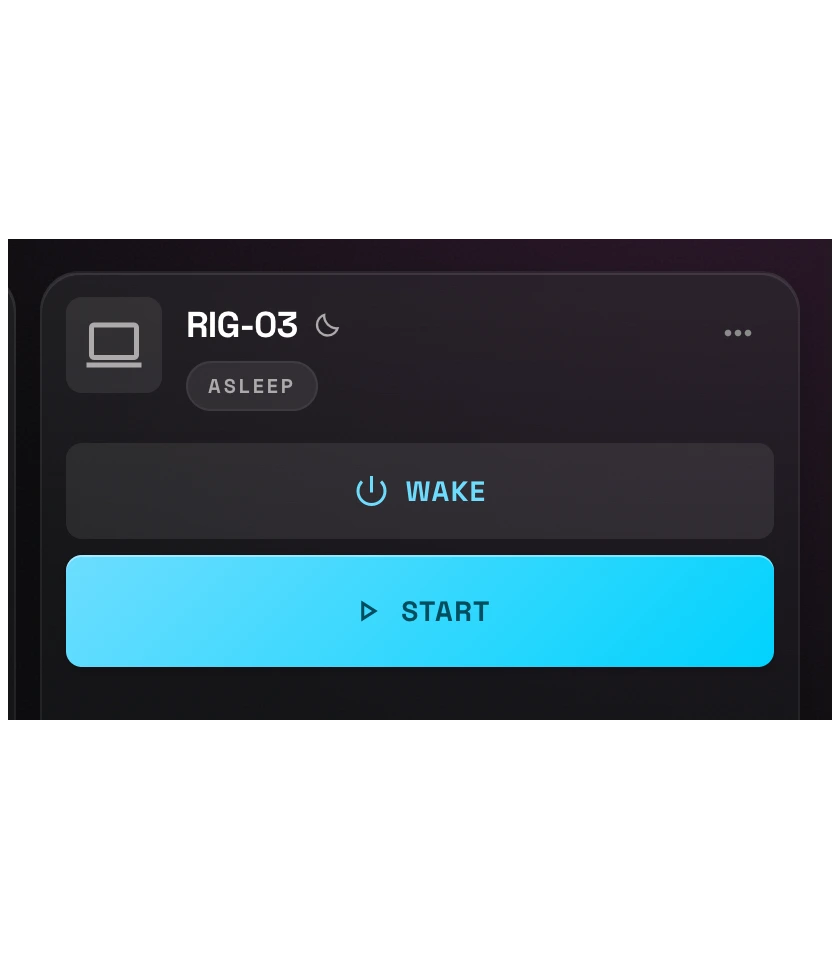
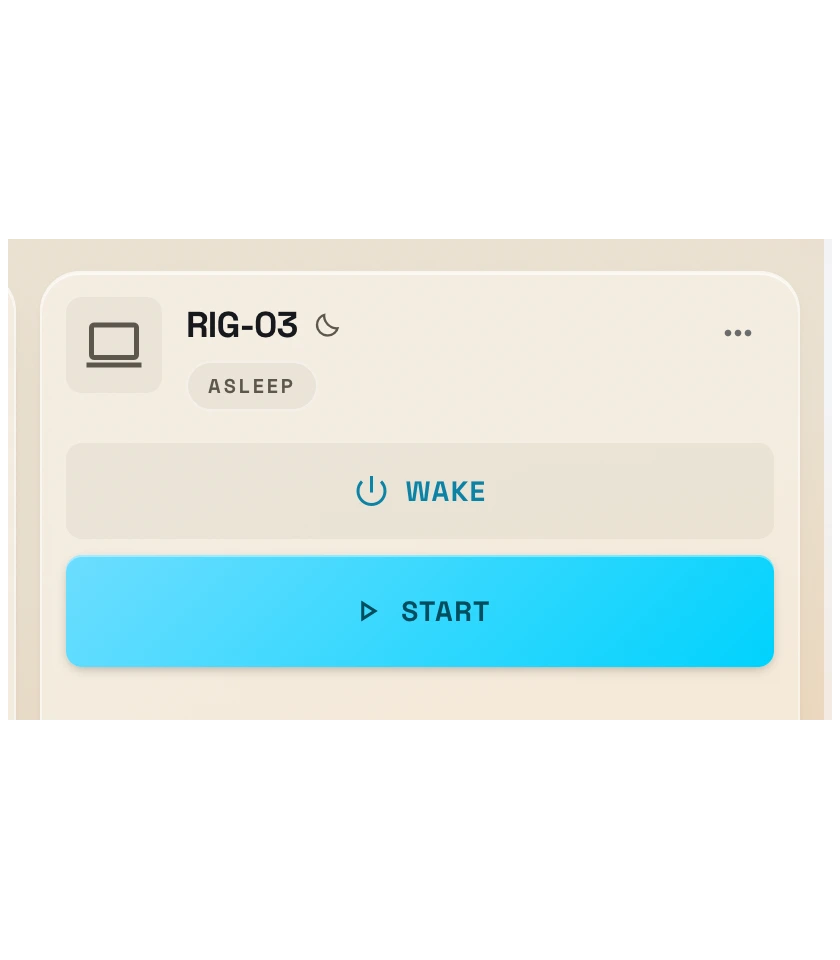
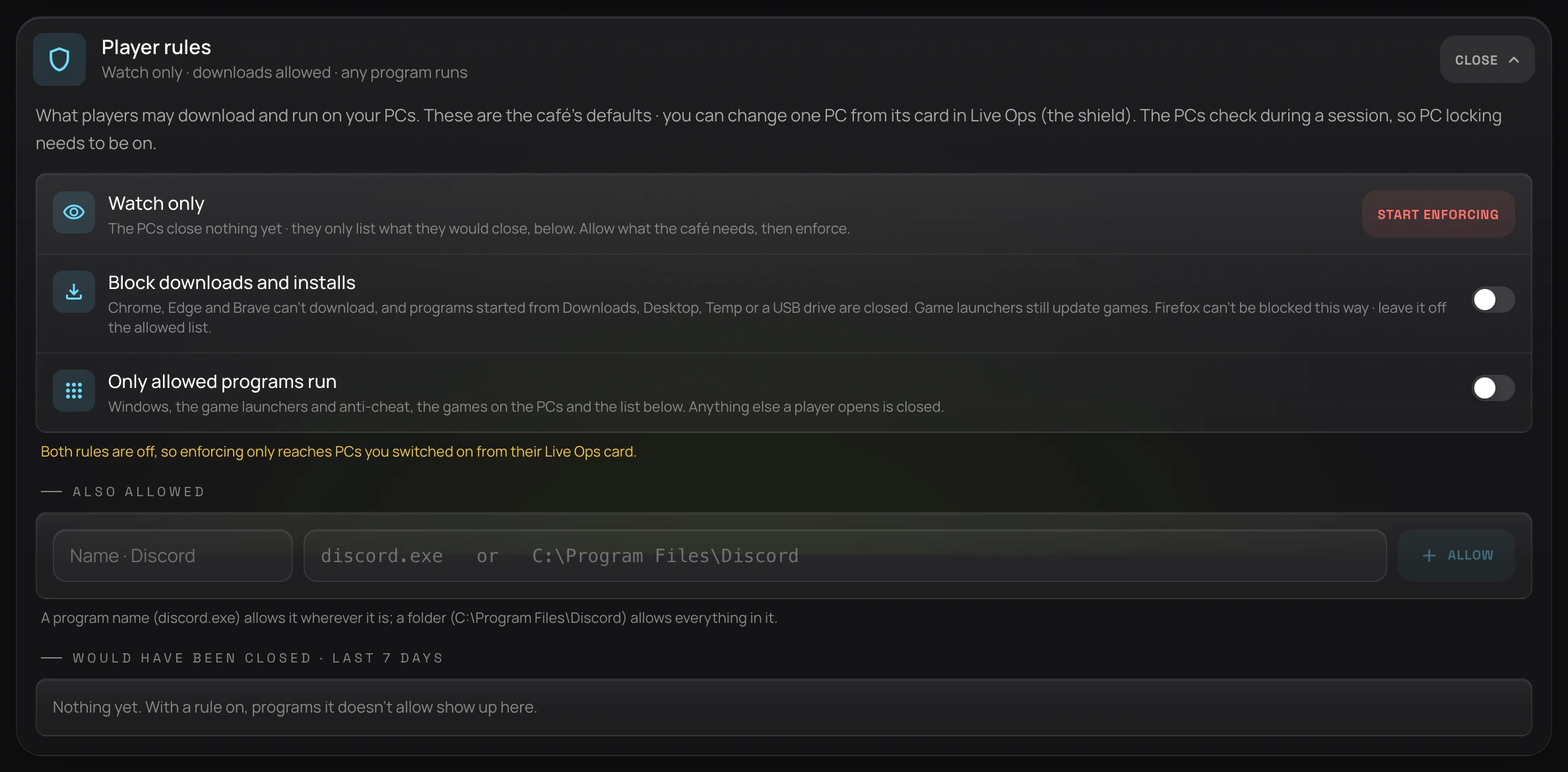
On screen now · Every rig's card in Live Ops carries a PC section: Sleep, Restart, Shut down · and under it, this PC's own download and program rules.
Power · from Live Ops
Sleep it, wake it, without leaving the counter
- Sleep, restart or shut down any rig from its card in Live Ops
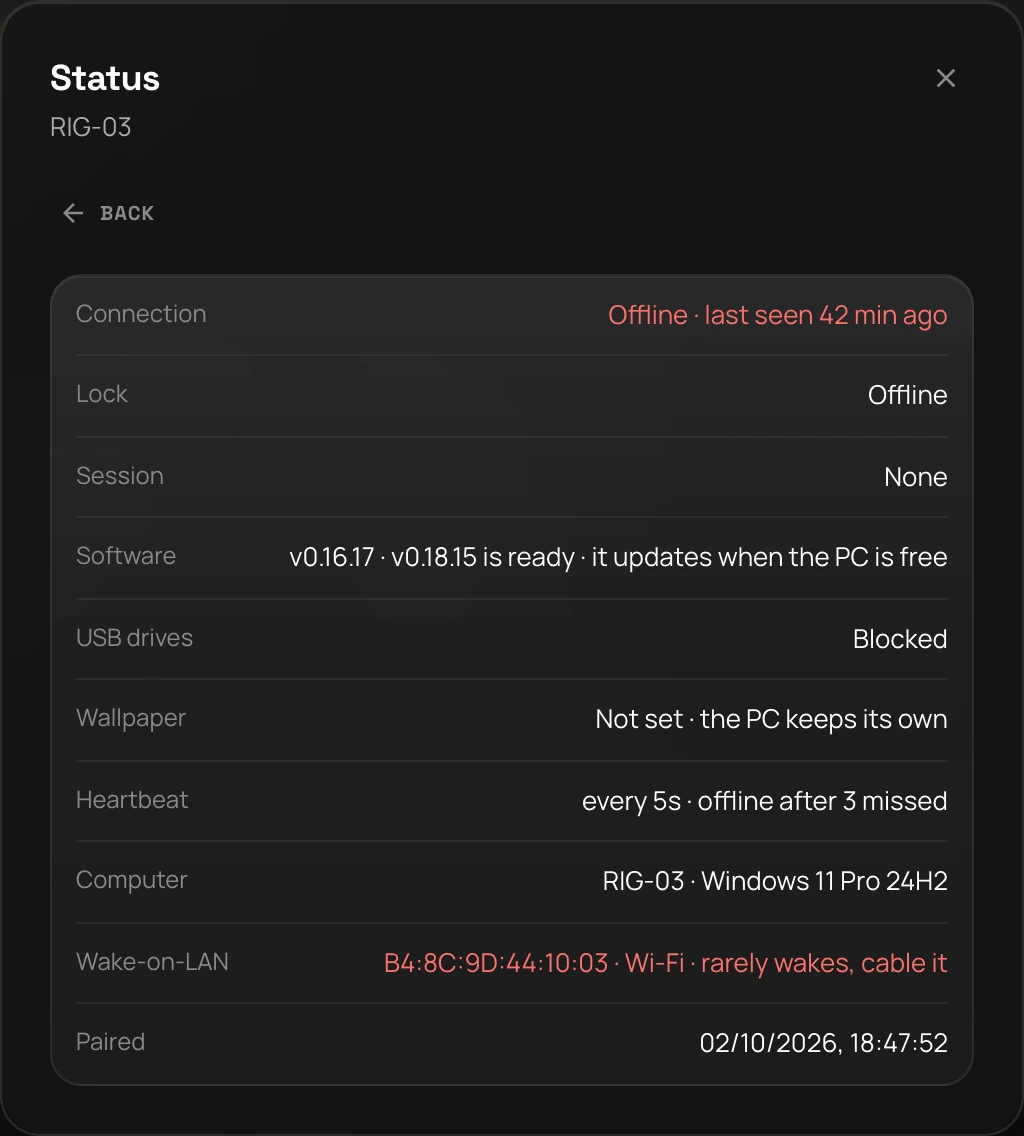
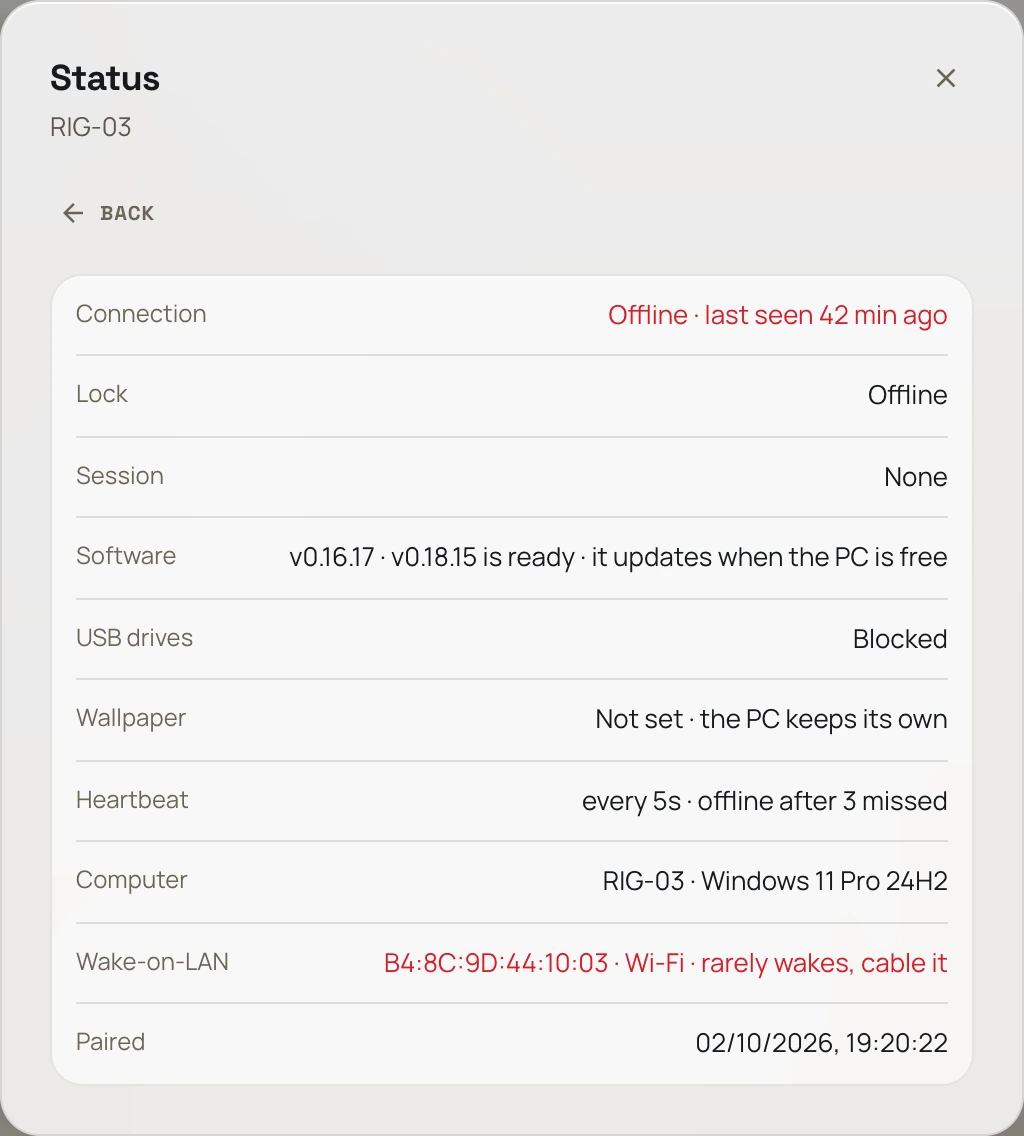
- Wake-on-LAN brings a sleeping or powered-off PC back from the counter
- The counter PC, or an awake rig on the LAN, broadcasts the wake · refused if none can
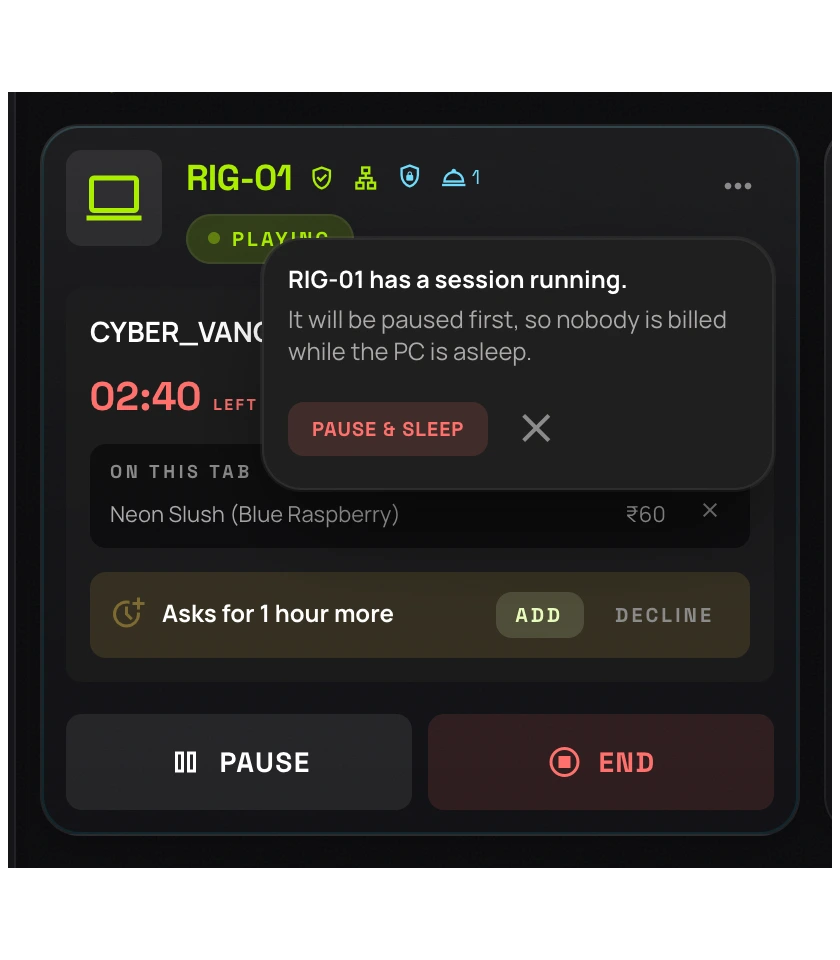
- A running session is paused first, and staff confirm it in words
- A PC on Wi-Fi, or with its adapter unarmed, is flagged before it sleeps
- Agent 0.16.0 and later · an older agent is offered nothing
USB storage
A drive is a question, not a free-for-all
Allow USB storage, block it, or block it and let players ask · per station, from the Command Center. The rig asks the server for the answer and keeps it where only an administrator can write, so pulling the network cable does not unblock it and nothing a player can edit decides it.
- 01
Blocked
USB storage is off on this rig. A USB button appears on the player's dock.
- 02
The player asks
They tap it to ask for a drive for this session. It costs nothing.
- 03
Waiting on you
Your staff allow or decline it in Live Ops. Decline and the drive stays dead.
Sleep, restart, shut down
Each one from the station's own card in Live Ops. A session running on that PC is paused first, and your staff confirm it in words · a rig put to sleep under someone mid-match is the one thing this must never do by accident.
Wake a PC that is off
Wake-on-LAN, from the same menu. An awake rig on that network broadcasts the magic packet, so the counter PC can start the floor. If no machine is there to send it, the console refuses rather than promising a wake that cannot happen.
A counter PC that never locks
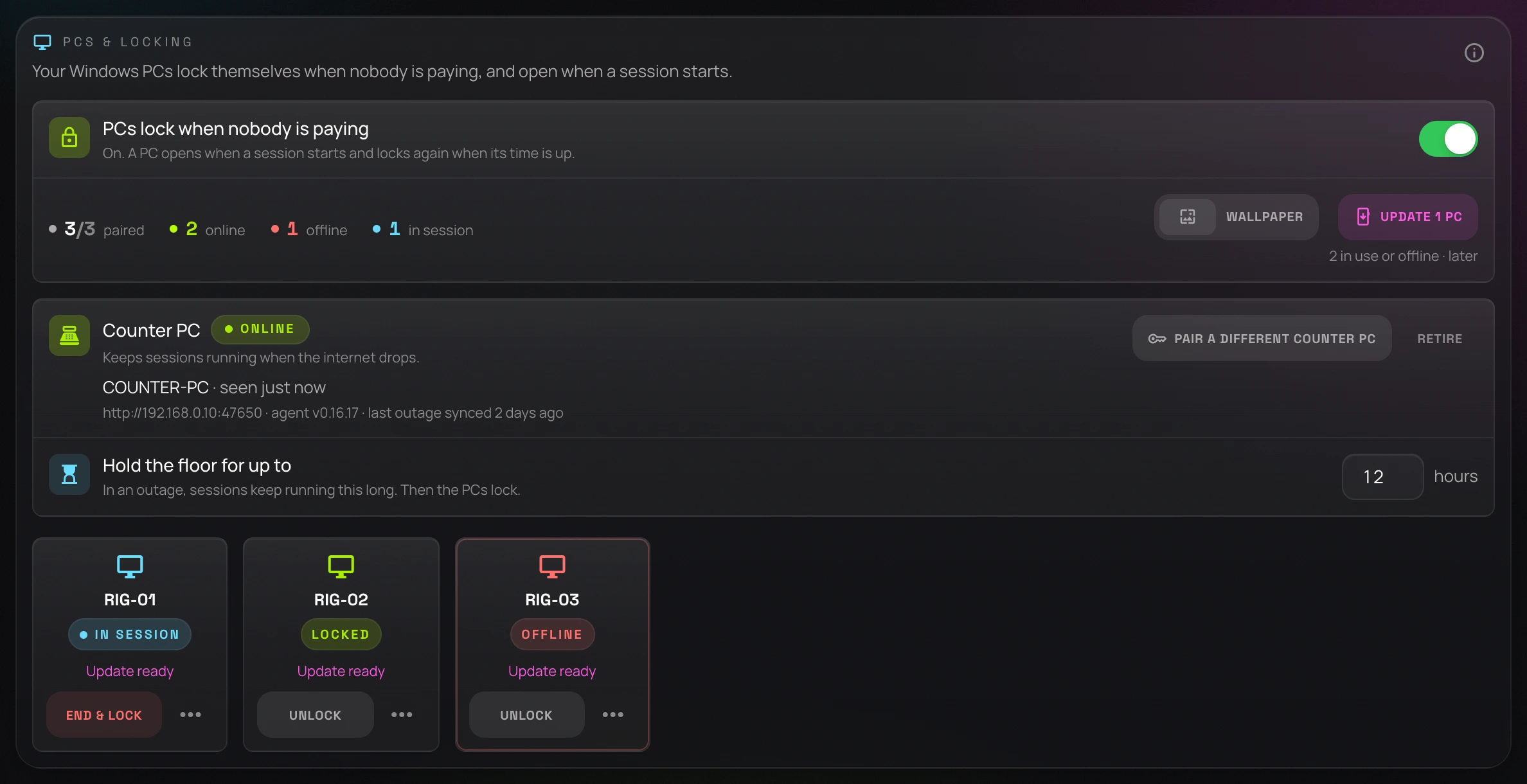
The till's own machine runs the same agent in a different role. It keeps the floor running when the internet drops, answering the rigs on your LAN until the cloud is back, and it is what wakes the others.
What a player may run
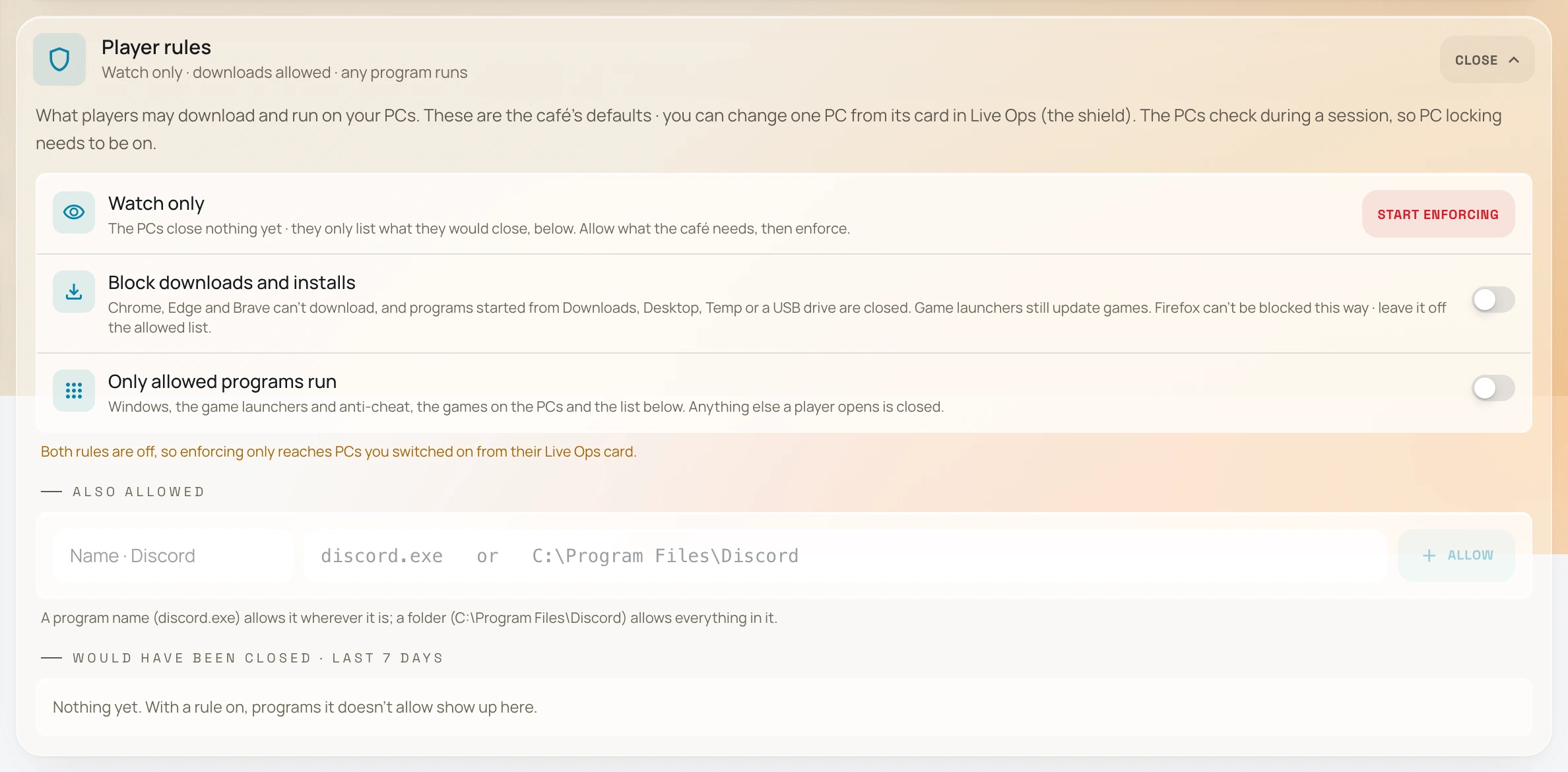
An allowlist: Windows, the agent, the game launchers and their anti-cheat, every game in your library, and whatever you add in Setup. Start in watch mode and it only reports what it would have closed, each with an Allow button, then switch it to enforce.
Downloads, off
The browsers' own admin policy refuses downloads and Windows refuses per-user installers. Game launchers are not browsers, so they keep updating games. Only the values the agent set are ever removed again · a policy your café already had is left alone.
Your wallpaper, per PC
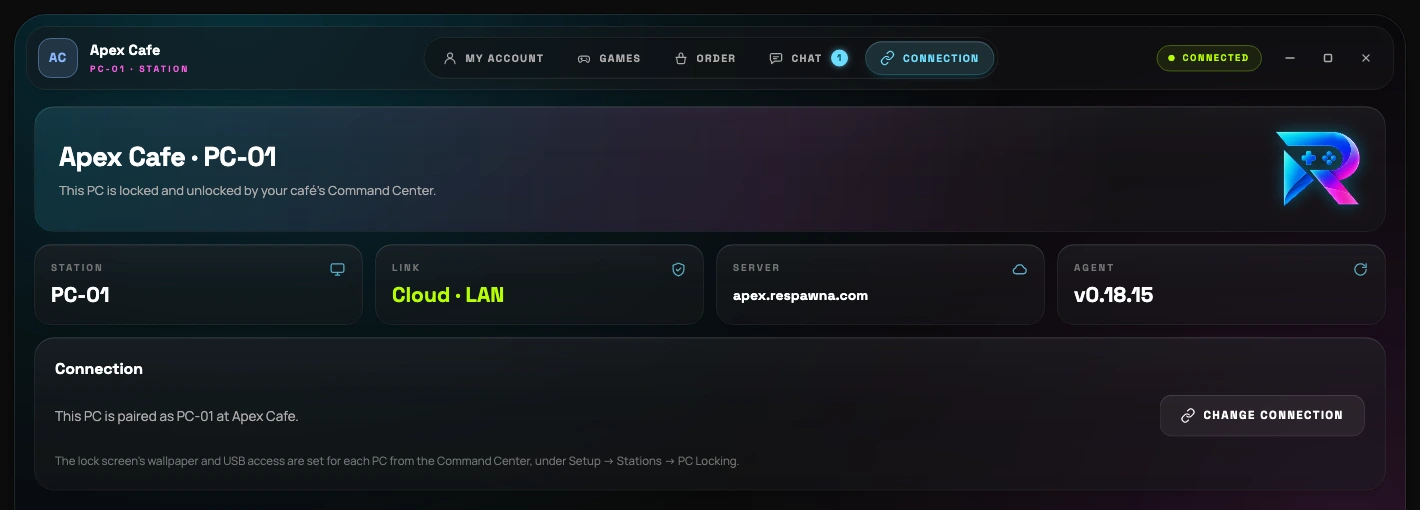
The locked screen is the most-looked-at surface in the café. Set the floor's image once, or give one rig its own, from Setup → Stations → PC Locking.
Updates you choose
A new build never pushes itself. You ask a rig to update from its tile in the console, and it takes it the next time it is free · which is what lets you move a floor a few PCs at a time.
Offline, still honest
The rig caches its deadline. Lose the line mid-session and it still ends the session on time rather than handing out free hours.
Override, behind a password
An override opens a locked rig when you need it to, and Shut down is right there on the lock screen. Neither is free to use.
The agent is one of three parts.
The cloud decides, this agent enforces it on each PC, and the counter PC stands by for the hour the internet goes. How they fit together, and exactly what happens to a running session when the line drops.
- dnsNo server PC at the café
- wifi_offThe counter PC holds the floor when the internet drops
- location_onRecords rest in India
The build
What you are
downloading
One self-installing exe. Published with its hash, and the updater refuses a download that does not match it.
- Version
- v0.18.15
- Runs on
- Windows 10 and 11, 64-bit
- Consoles
- Out of scope · cannot be locked in software
- Install
- Self-installing exe · starts on boot
- Pairing
- Single-use code, expires in 15 minutes
- Price
- Included in every plan
SHA-256
e7a362b8ec16caad14c47a48be24883a24f76f99de5a417a93728896087bdf97
Asked before buying
The questions that decide it
How does PC locking work in Respawna?
A small Windows app runs on each gaming PC, paired to your Respawna Command Center with a single-use code. When a session's paid time runs out the PC warns the player, holds a three-minute grace, then draws its own full-screen lock over everything, showing your café's wallpaper. It unlocks the moment a new session starts. If the rig loses the network mid-session it already knows the deadline and locks on time anyway.
Can members start their own session at the PC?
Yes. On the locked screen a member signs in with their Respawna account, or points their phone camera at the QR code on the screen and taps Start in the app. The rig shows which plan or wallet balance is paying and how long it buys before they commit. Their plan hours spend first, then the wallet, a Stop button ends the session early, and staff see and control it from Live Ops like any other session.
Can a player ask for more time without getting up?
Yes, since agent v0.18.15. A right-click on the Respawna icon by the clock, or the Need more time card in My account, asks the counter for 30 minutes, 1 hour or 2 hours. It is only a request: nothing is charged and no time is added until your staff accept it in Live Ops, taking the money first. The player can change the amount or take the ask back while it waits, and the PC is told either way.
Can members top up their wallet at the PC?
No · the rig spends a wallet, it never takes payment. Wallet credit is loaded at your counter by your staff, in cash or on UPI, and lands on the member's phone immediately; they then sign in at any rig and play from that balance. Respawna does not sit between your members and their money.
Can players order food from the PC?
On the Ultra plan, yes. The agent's Order tab shows your own menu and prices, and a player sends a basket to the counter from their seat. It arrives as a request in a queue: nothing is charged and nothing leaves the shelf until your staff accept it, and once they do it goes on that session's tab and is settled on the same invoice as the time. Players and staff can also message each other between the rig and the till on Ultra.
Can it lock a PS5 or Xbox?
No, and nobody's software can: consoles do not let third-party apps control the screen, which is a platform restriction rather than a product gap. Respawna still bills and times console sessions from the counter · the self-locking part is for Windows PCs.
Will it fight with games or anti-cheat?
The agent is a lock screen, not a game hook: it draws over the desktop between sessions and blocks escape shortcuts only while locked. During play it stays out of the way, and the session dock is a strip at the screen edge rather than a window over the game. Every release is published with its SHA-256, and the updater refuses a download whose hash does not match.
How does a PC get a new version of the agent?
You ask it to, from that station's tile in the Command Center. Publishing a new build does not push it to anybody: a rig updates only when the console has asked that rig to and the rig is free, which is what lets you move a floor a few PCs at a time instead of all at once in the middle of a Friday.
Can staff shut down or wake a gaming PC from the counter?
Yes. Sleep, restart and shut down are on each station's card in Live Ops, and a PC that is off can be woken with Wake-on-LAN. The wake is broadcast by an awake rig on the same network, usually the counter PC, so the console refuses it when there is no machine there to send it rather than promising a wake that cannot happen. A session running on the PC is paused first and your staff confirm it in words, and a rig that probably cannot be woken again (on Wi-Fi, or its adapter not armed) is flagged before it is put to sleep. Agent 0.16.0 and later.
Can I stop players plugging in USB drives?
Yes, per station, from the Command Center. USB storage can be allowed, blocked, or blocked with players able to ask: a USB button appears on the session dock, the player taps it, and your staff allow or decline it in Live Ops. The rig asks the server for the answer and keeps it where only an administrator can write, so pulling the network cable does not unblock it and nothing a player can edit decides it.
Can I control what players run and download?
Yes. Downloads can be switched off using the browsers' own admin policies, with per-user Windows installers refused · game launchers are not browsers, so they keep downloading and updating games. Separately, an app allowlist limits what runs to Windows itself, the agent, the game launchers and their anti-cheat, every game in your library and whatever you add in Setup. Start in watch mode, where nothing is closed and the agent just reports what it would have closed with an Allow button beside each, then switch it to enforce.
Does installing it change anything immediately?
No. Locking ships switched off and does nothing until you enable it per floor in Setup, so you can install across the café first and turn it on when you're ready.
Put it on one rig tonight
Stop walking the floor
The agent comes with every plan, including the trial. Set your café up, pair one PC, and see it end a session by itself.