

PS5 · Xbox · Nintendo Switch · any console on a TV
PlayStation and all console lockfor gaming cafés.
Stop free play on your consoles. Respawna TV runs on the television your console plugs into, keeps it on the lock screen when nobody is paying, and opens the game the moment a session starts.
- check_circleFree on Google Play
- check_circleNothing installed on the console
- check_circleWorks beside your locked PCs
PS5-02Free
TV on · locked
What is PlayStation lock software?
PlayStation lock software stops free play by locking the TV instead of the console, so nothing has to be installed on the PS5. Respawna's is Respawna TV, a free app on Google Play for console stations in a gaming café. It runs on the Android TV or Google TV set the console is plugged into and follows the session you started at the counter: covered while nobody is paying, open within a few seconds of Start on Live Ops, a console timer near the end, and covered again at time up until staff add time or end the session. The console itself is never touched, so it works the same way for a PS5, a PS4, an Xbox, a docked Nintendo Switch or any other console on HDMI.
Updated
Your console
Nothing installed
Android TV or Google TV
Runs Respawna TV
Live Ops
At the counter
Set-up
How do I lock a PS5?Three steps, one TV at a time.
No new hardware and nothing on the console. The app goes on the television, and the station on Live Ops tells it what to do.
- tuneStep 1
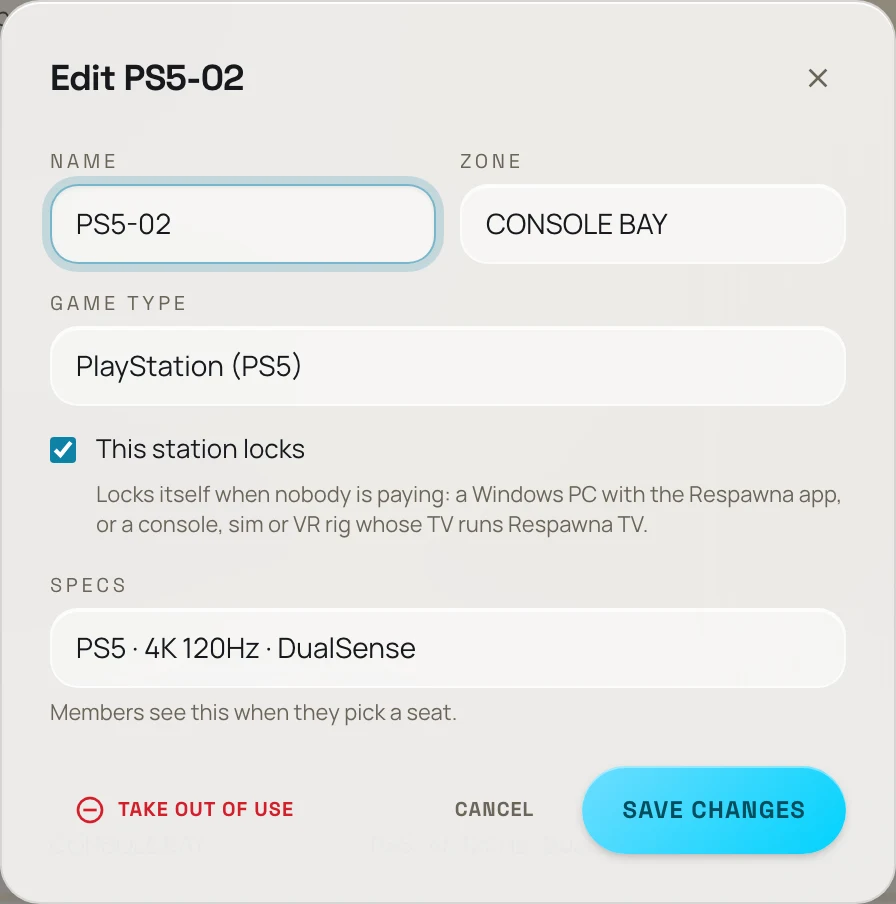
Switch on the lock
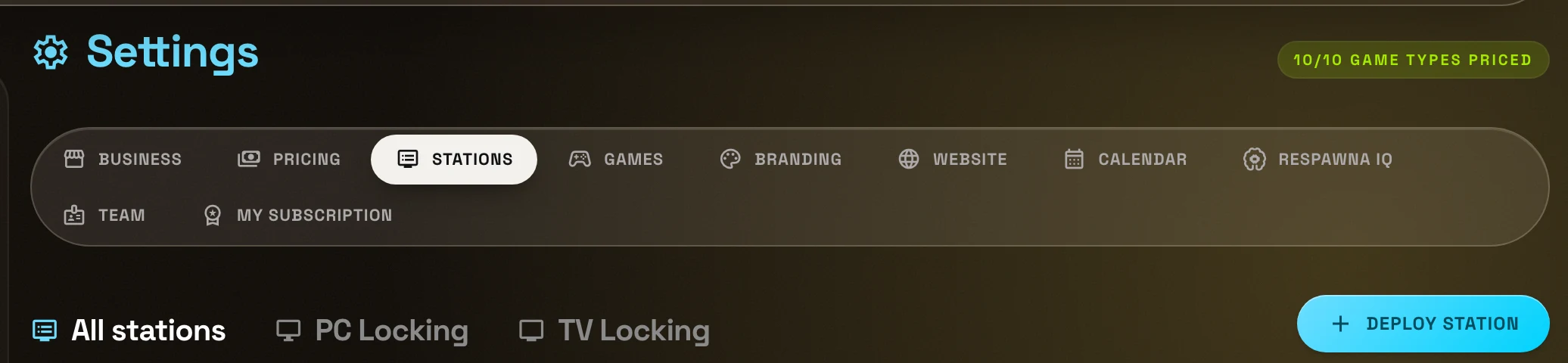
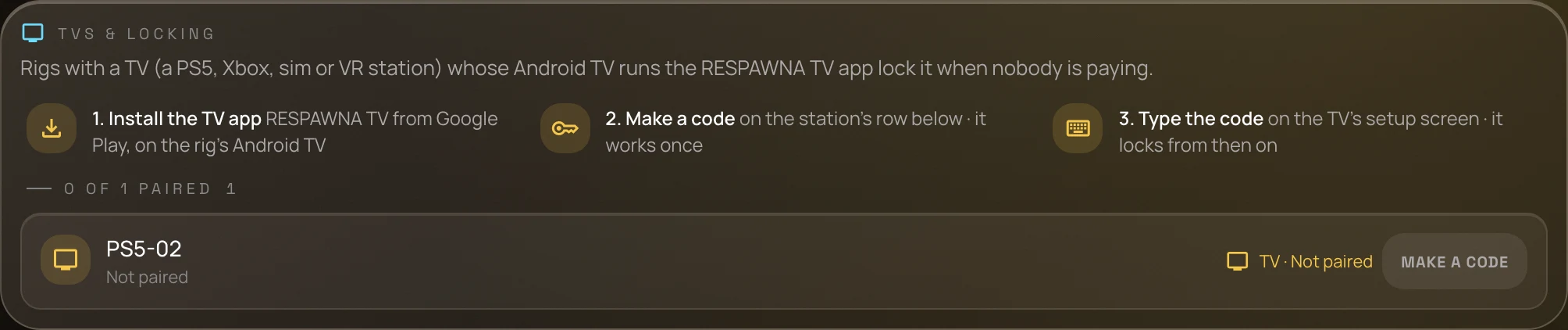
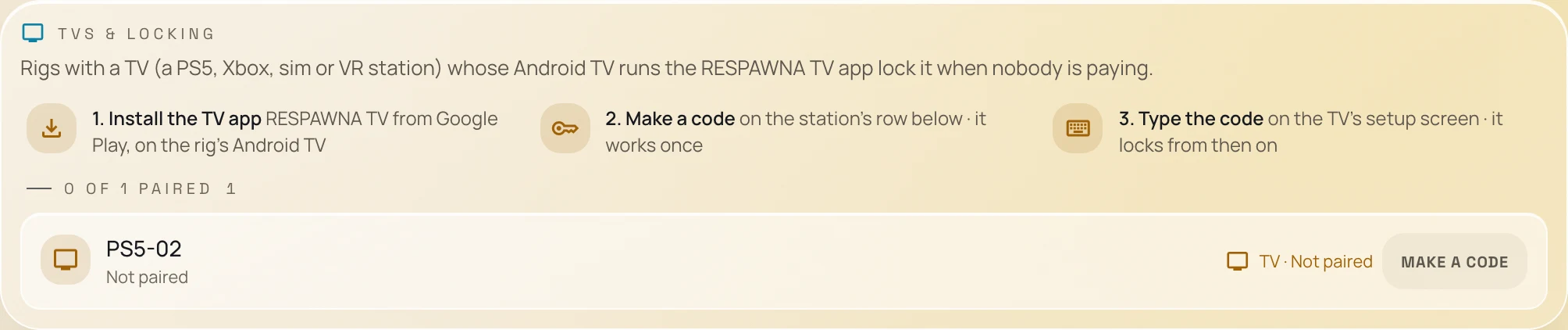
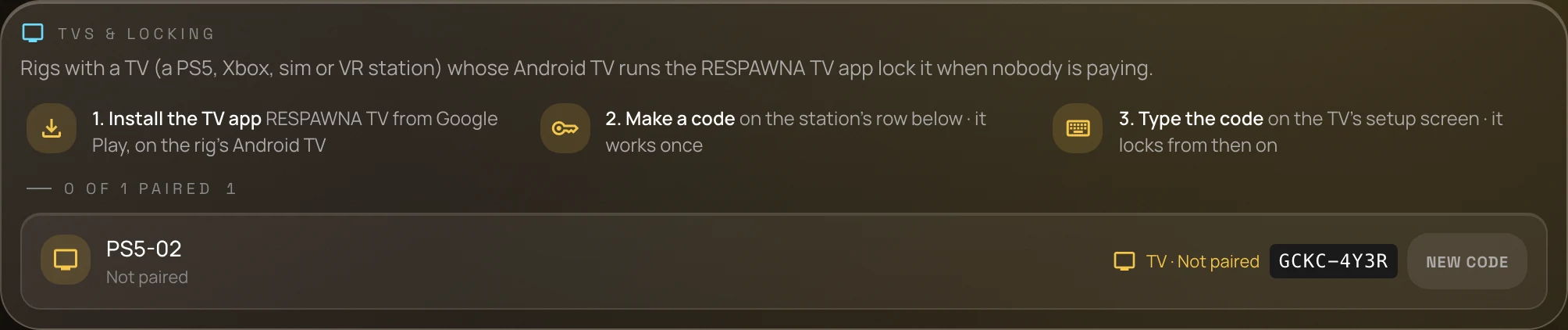
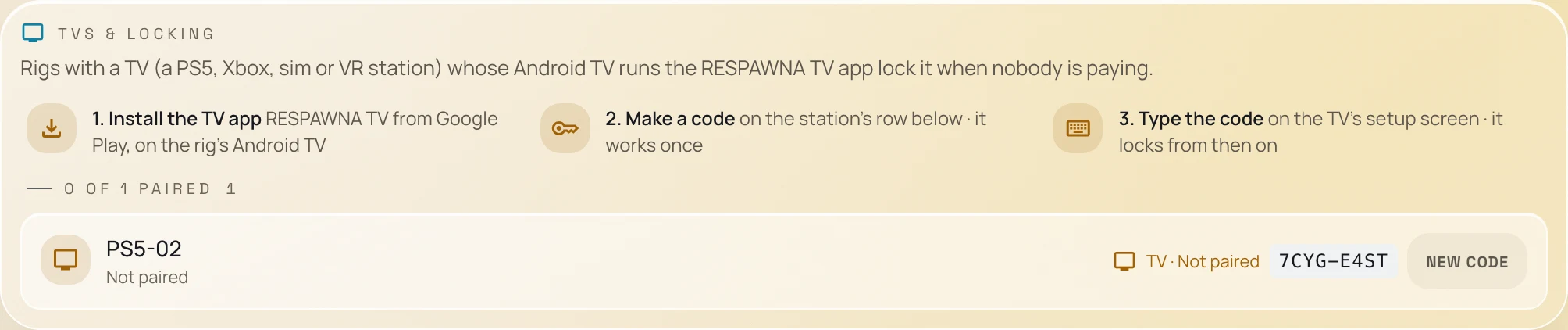
In Settings, Stations, edit the PS5 and tick This station locks. Its TV Locking row makes a one-time code.
- downloadStep 2
Install Respawna TV
On the Android TV or Google TV the console plugs into, install Respawna TV, free from Google Play.
- passwordStep 3
Type the code
Enter the station's code on the TV with the remote. From then on the TV follows that station's sessions.
Screen by screen.The real console.
From Settings to a paired TV takes about a minute. These are the screens you will press through.
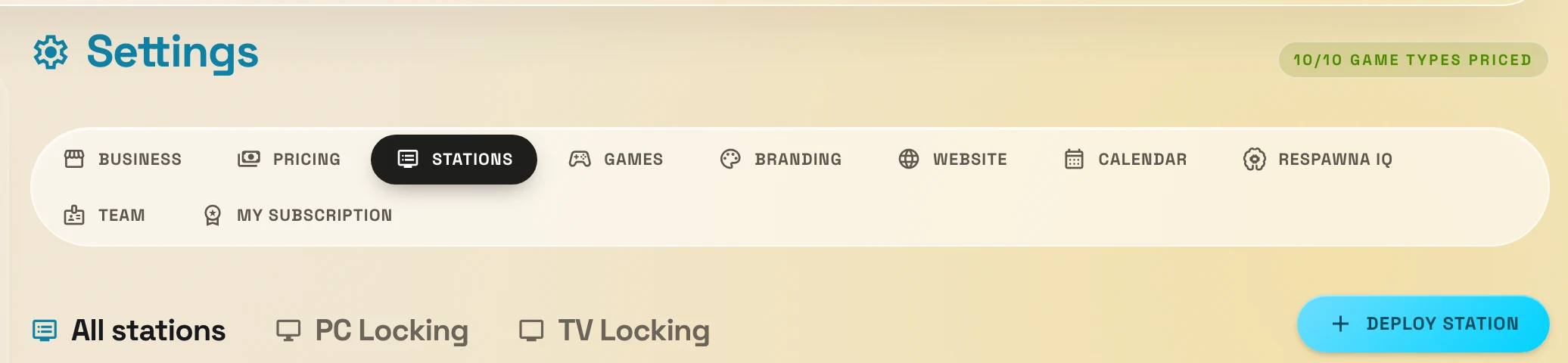
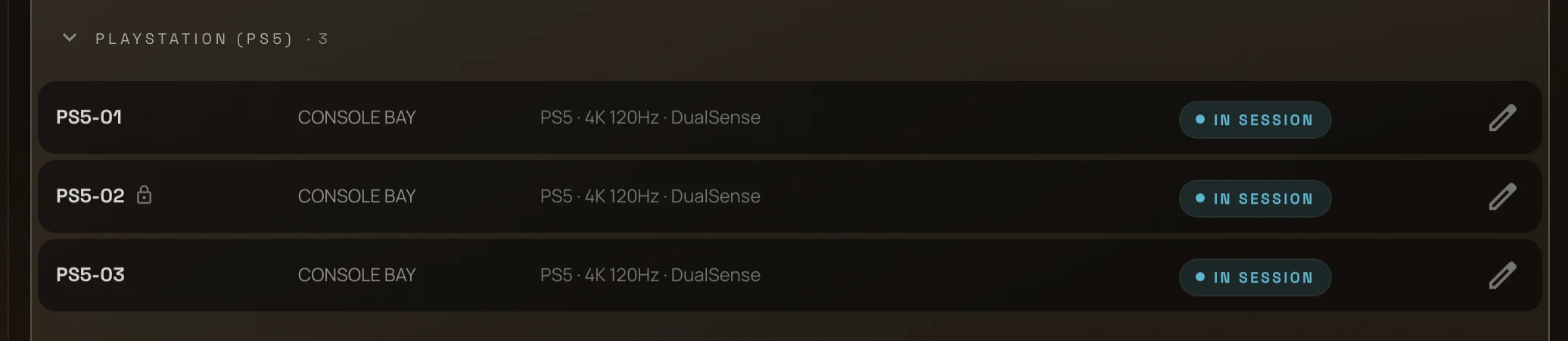
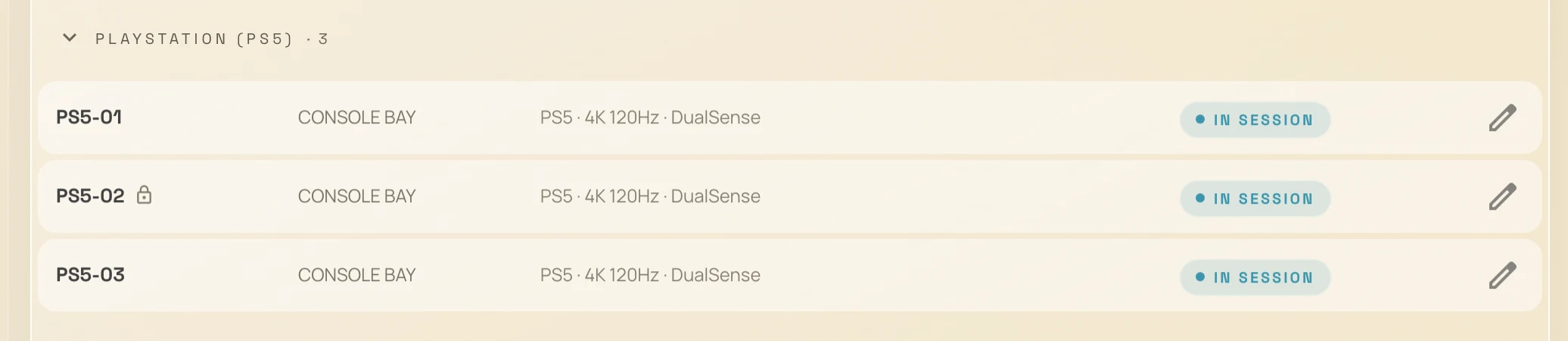
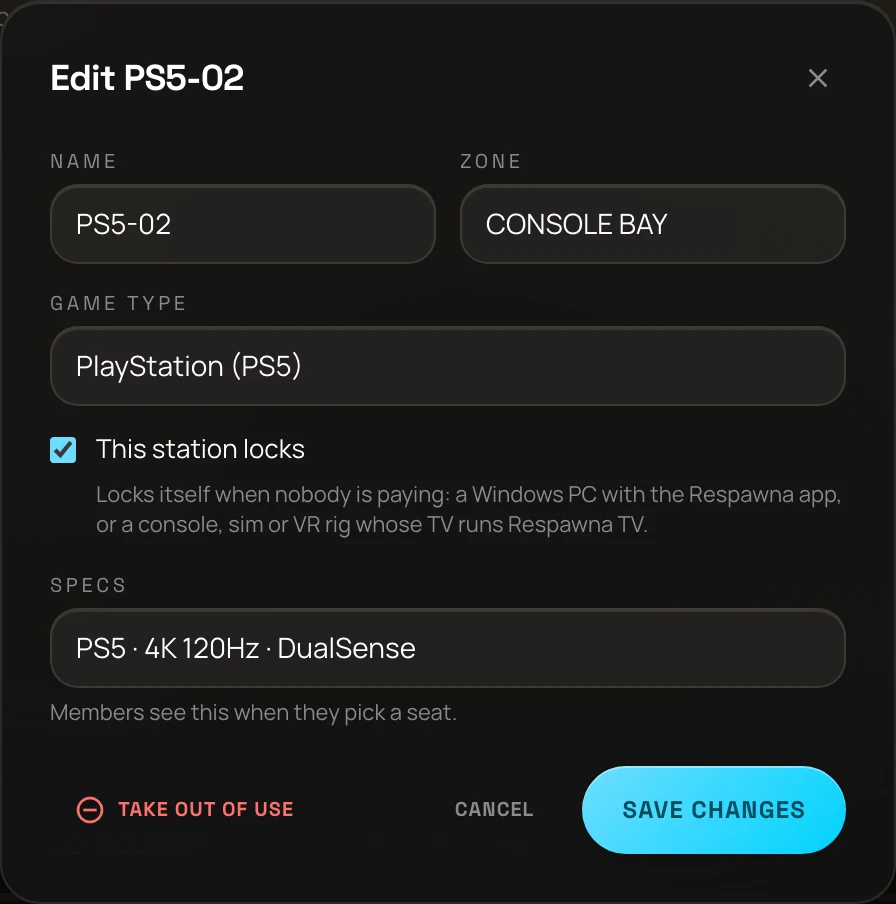
What it does
The screen has the conversation.Your counter doesn't have to.
No free play between customers
With locks on, the TV stays covered while nobody has a session, so nobody plays a free round on an empty sofa.
Opens when the session starts
Start the session on Live Ops as you always do. The console's picture appears on the TV within a few seconds.
A console timer on the TV
Near the end of a session a small badge in the corner shows the time left, so time up is never a surprise.
The lock screen comes back
At time up, after any lock grace your café has set, the lock screen covers the game again until the counter adds time.
Members sign in on the TV
A member scans the code on the lock screen, sees the hours left on their plan, their points and wallet, and starts playing.
One floor with your PCs
Live Ops shows whether each TV is on and locked, beside your Windows PCs, on the same screen and the same bills.
On the sofa
What does the player see?From sign-in to time up.
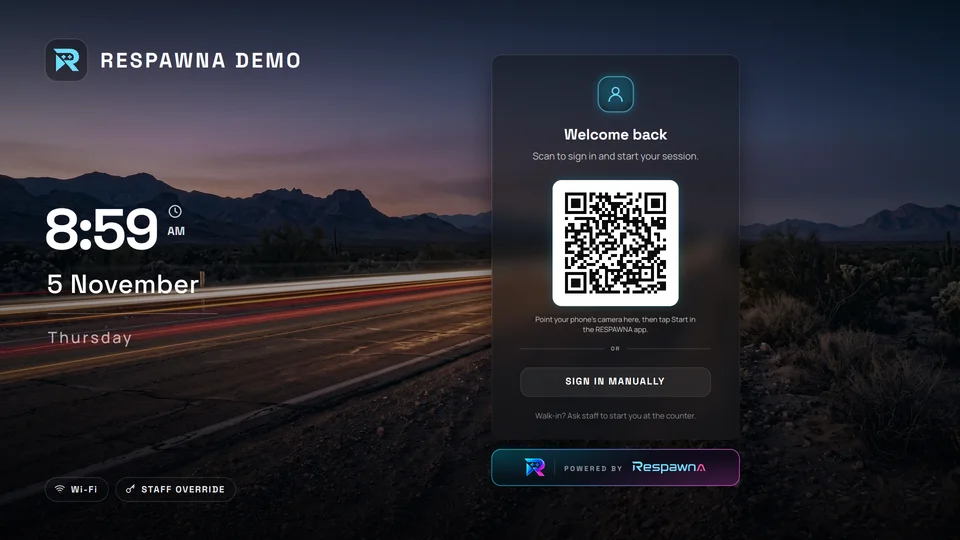
- No session running. The lock screen shows your café's name, the time and a code to scan to sign in. Walk-ins ask the counter.
- A member signs in. They see the hours left on their plan, their points and wallet, and press Start playing.
- The session starts. The console's picture opens within a few seconds, whether the member or the counter started it.
- Near the end. A small badge in the corner counts down the time left.
- Time's up. After any lock grace, the lock screen covers the game again.
- The counter adds time. The picture comes back within a few seconds.
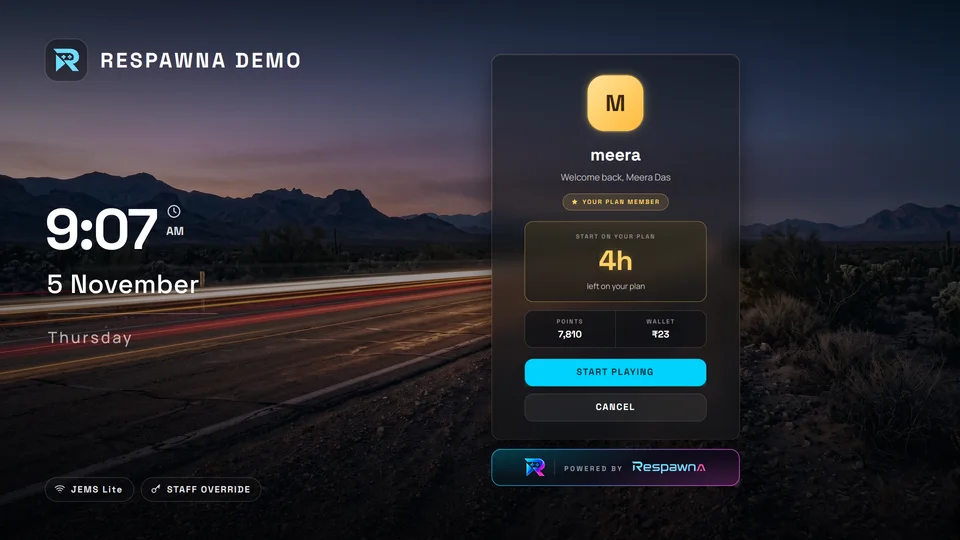
The real Respawna TV app: a member signed in, ready to start on their plan.
Which consoles can Respawna lock?
Any console that shows its picture through the TV, because the lock lives on the television. A PS5, a PS4 and an Xbox lock the same way.
| Console | Locks | Good to know |
|---|---|---|
| PlayStation 5 and PS4 | Yes | Plugged into the TV by HDMI. |
| Xbox Series X, Series S and Xbox One | Yes | Plugged into the TV by HDMI. |
| Nintendo Switch | In its dock | Out of the dock it plays on its own screen, which a TV lock cannot cover. |
| Any other console on HDMI | Yes | The app covers the TV's picture, whatever is plugged in. |
Which TVs does it run on?
The TV matters more than the console. Today that means Android TV and Google TV. Check before you buy a new set for the floor.
| Television | Works | Good to know |
|---|---|---|
| Android TV and Google TV sets | Yes | With an HDMI input. If the TV has the Google Play Store, it is one of these. |
| Samsung with Tizen | No | An outside app cannot cover the picture. |
| LG with webOS | No | An outside app cannot cover the picture. |
| Hisense with VIDAA | No | Some Hisense sets run Google TV instead, so check yours. |
| A streaming stick or box | No | It has no HDMI input, so it cannot cover the console's picture. |
Why stop free play on consoles?
A console left on between customers is free play, and a counter cannot walk to every sofa on a busy evening. Time runs out, the match carries on, and someone ends up asking four friends to stop in the middle of a game. With the TV lock the screen has that conversation at the moment your price list says it should, and the counter only answers one question: would you like more time? It is the same idea as locking your Windows PCs, and on a mixed floor both run from one screen. See plans from ₹299 a month, or how Respawna runs from the cloud.
What it does not do
- removeIt does not control, pause or switch off the console. The game keeps running behind the screen.
- removeIt does not reach a Nintendo Switch out of its dock, or a console whose HDMI cable has been moved to another screen.
- removeIt does not run on every smart TV. The table above lists the ones it cannot run on.
Questions
PlayStation lock FAQ.Straight answers.
How do I stop free play on a PS5 in my gaming café?
add
Lock the TV it is plugged into. Install the free Respawna TV app from Google Play on the Android TV or Google TV set, pair it with the station, and it keeps the screen covered whenever nobody has a paid session on that station, including at time up. Nothing is installed on the PS5 and no PlayStation account is involved.
Where do I download the Respawna TV app?
add
From Google Play, free, on the television itself: search for Respawna TV, or open play.google.com/store/apps/details?id=com.respawna.tv. It runs on Android TV and Google TV sets.
Is this also a console timer?
add
Yes. Near the end of a session a small badge on the TV shows the time left, and Live Ops at the counter shows the same session's timer and running cost for every station.
Can a member start their own session on the TV?
add
Yes. The lock screen shows a code to scan with their phone, or they can sign in manually. They see the hours left on their plan, their points and wallet, and press Start playing. A walk-in is started at the counter, as always.
Does it turn the TV or the console off when time ends?
add
No. Both stay on and the app covers the screen, so nobody has to find a remote or wait for a console to boot when time is added.
Does it lock an Xbox or Nintendo Switch as well?
add
Yes, and any other console on HDMI, because the app covers the TV's picture whatever is plugged into it. A Nintendo Switch has to be in its dock: lifted out, it plays on its own screen, which a TV lock cannot cover.
Which TVs does it work on?
add
Android TV and Google TV sets with an HDMI input. If your TV has the Google Play Store, it runs one of those. It does not run on Samsung sets with Tizen, LG sets with webOS or Hisense sets with VIDAA, because those do not let an outside app cover the picture.
Can I use a streaming stick instead?
add
No. A streaming stick has no HDMI input of its own, so it cannot cover what the console is sending to the TV. The app has to run on the television itself.
Does the game stop when the TV locks?
add
No. The console is never touched, so the game keeps running behind the screen. The player sees the lock screen until the counter adds time or ends the session.
What happens if the internet drops?
add
A TV that cannot reach Respawna covers the picture and says Connection lost, and opens again once the network is back. The session keeps running on the bill and Live Ops shows the TV as offline, so the counter can make it right with the player.
Can I lock consoles and PCs on the same floor?
add
Yes. Windows PCs lock with the Respawna Agent and consoles lock through their TV. Both show on Live Ops and both bill the same way.
Is Respawna connected to Sony, Microsoft or Nintendo?
add
No. Respawna is independent software for gaming cafés and is not affiliated with or endorsed by any console maker.
What does it cost?
add
The Respawna TV app is free on Google Play. Plans start at ₹299 a month, and every plan begins with a 14-day free trial, no card. When the trial ends you either pay to carry on or stop · nothing renews by itself, because we hold no card. Current plans and prices are on the pricing page.
Lock every screen.Bill every session.
Install Respawna TV on your console TVs and run them from the same Live Ops as your PCs. Not sure about your TV? Send us its make and model.
PlayStation and PS5 are trademarks of Sony Interactive Entertainment Inc. Xbox is a trademark of Microsoft Corporation. Nintendo Switch is a trademark of Nintendo. Google Play and Google TV are trademarks of Google LLC. Respawna is not affiliated with, endorsed by or sponsored by any of them.